Governed AI agents for real work.

Agents turn briefs into reports, memos and decks, tidy your backlog and draft your plan. You have the final say.

Free for up to three people once Arbituro opens. No card needed.

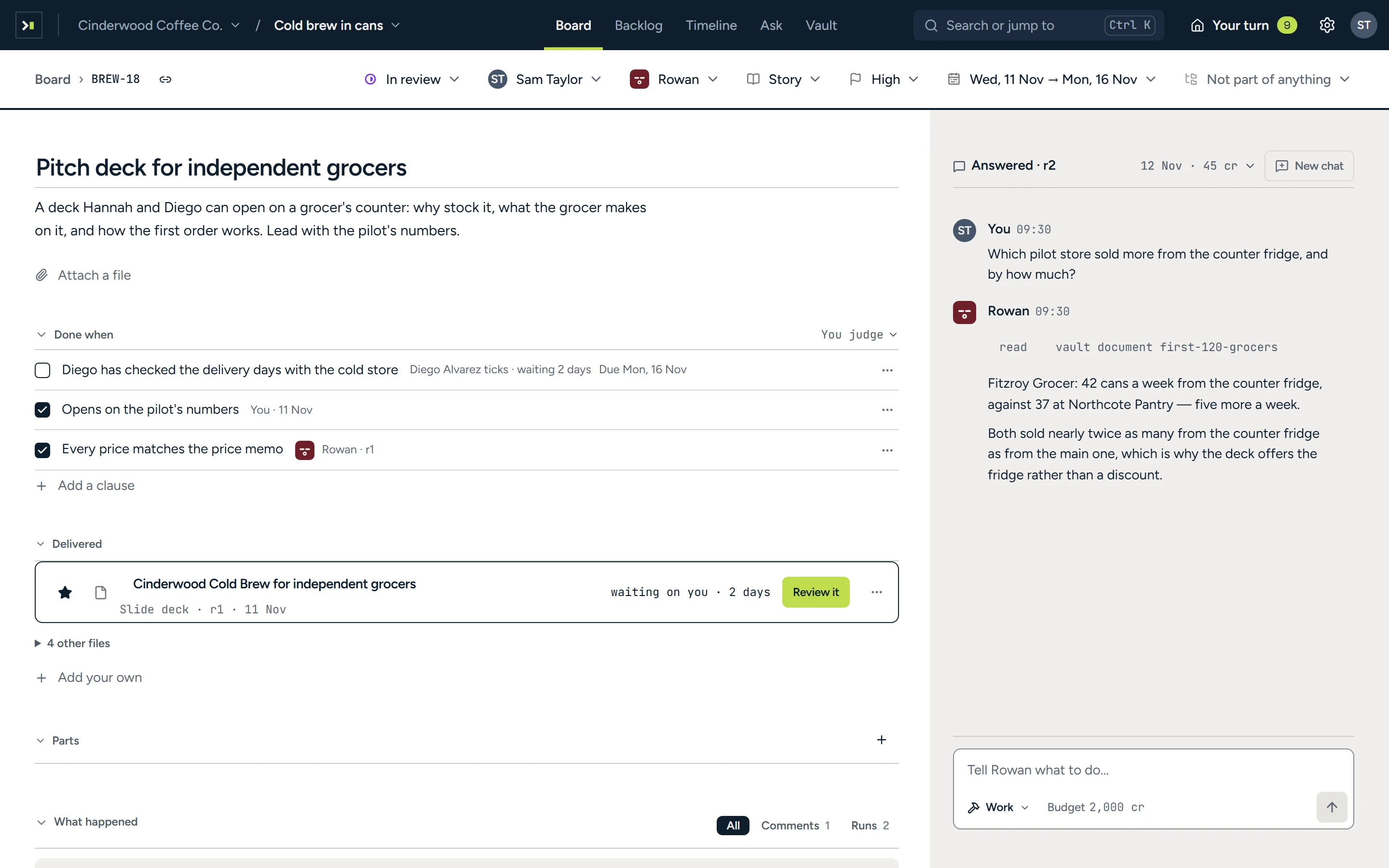
The job ‘Pitch deck for independent grocers’: its status, owner, agent, type, priority and dates in one row above its brief; a done-when list with two of three lines ticked and one waiting on Diego Alvarez; the delivered deck waiting on you with Review it; and the agent Rowan’s chat beside it.
The brief, its acceptance criteria and the delivered deck, with the agent beside it.

Why Arbituro

Agents in Arbituro get only the access a person grants. A person approves every change or message they propose, and every step is on the record.

Acceptance criteria

Work comes back the way you meant it.

Before work starts, every job gets acceptance criteria, each with a named approver. The agent works to them, and every review decision is recorded and never overwritten.
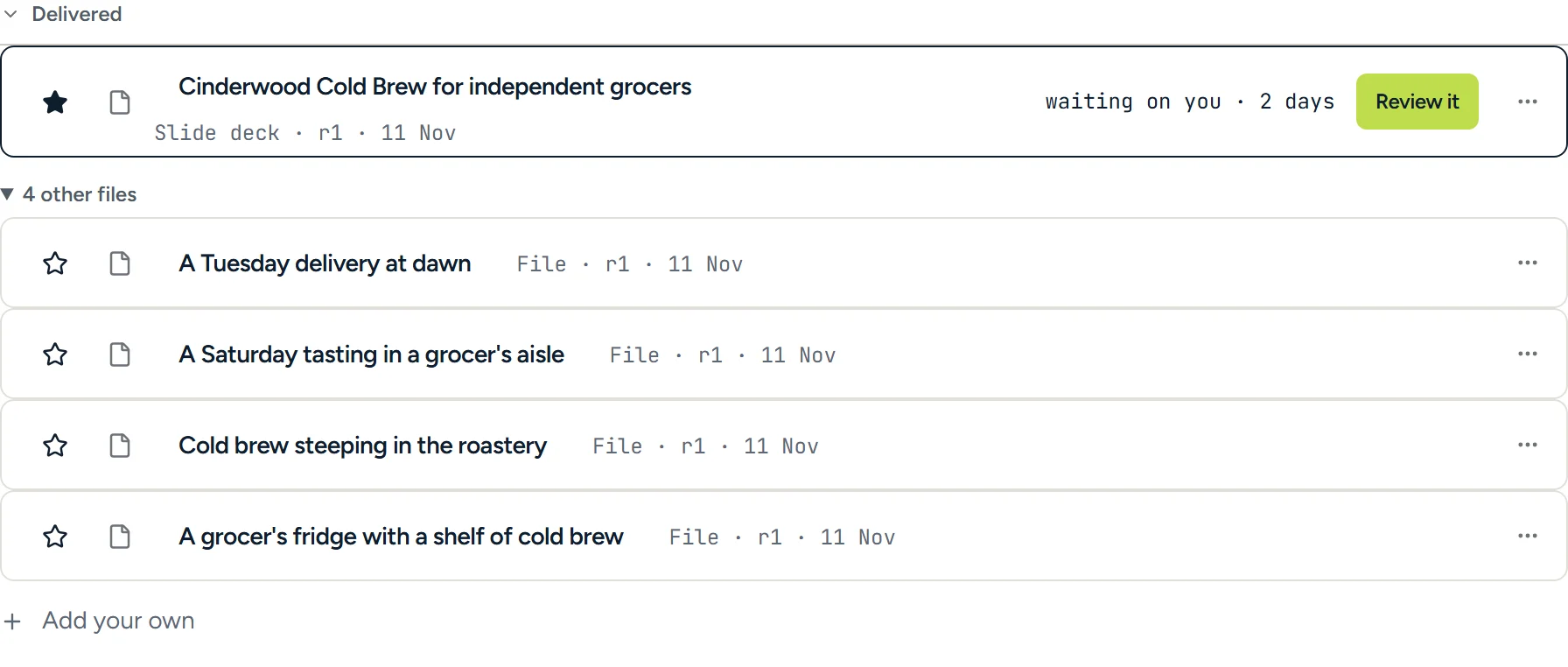
The Delivered section of a job: the pitch deck waiting on you for two days with Review it, and below it the four pictures filed with it.
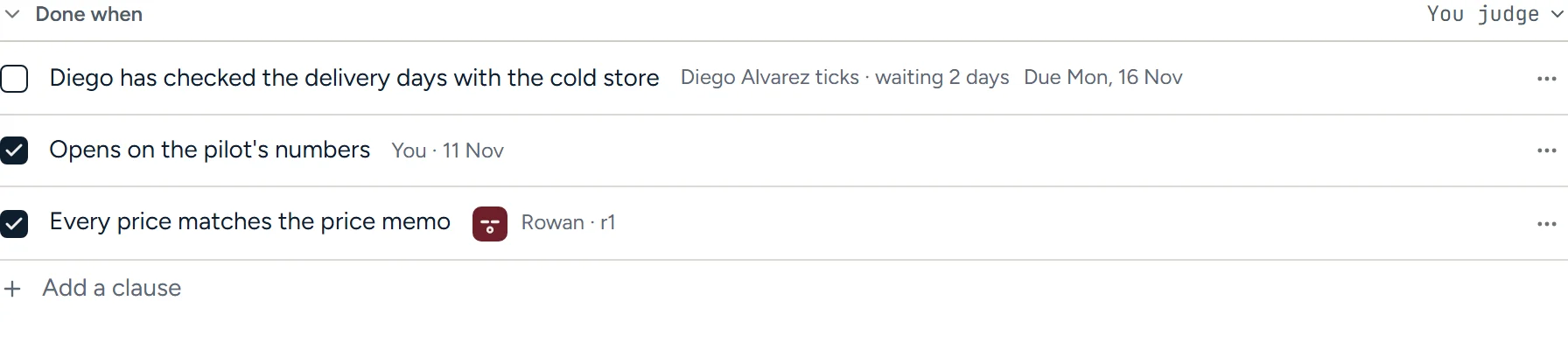
A job’s done-when list: Diego has checked the delivery days with the cold store, waiting two days; opens on the pilot’s numbers, ticked by Sam Taylor; every price matches the price memo, ticked by the agent.
The delivered deck waiting for review, and the acceptance criteria it is judged against, each naming who checks it.

Approval queue

Start your day with what needs you.

Every approval, review and question that needs a person lands in one queue, showing how long each has waited. Nothing an agent drafts goes out without a person’s approval.
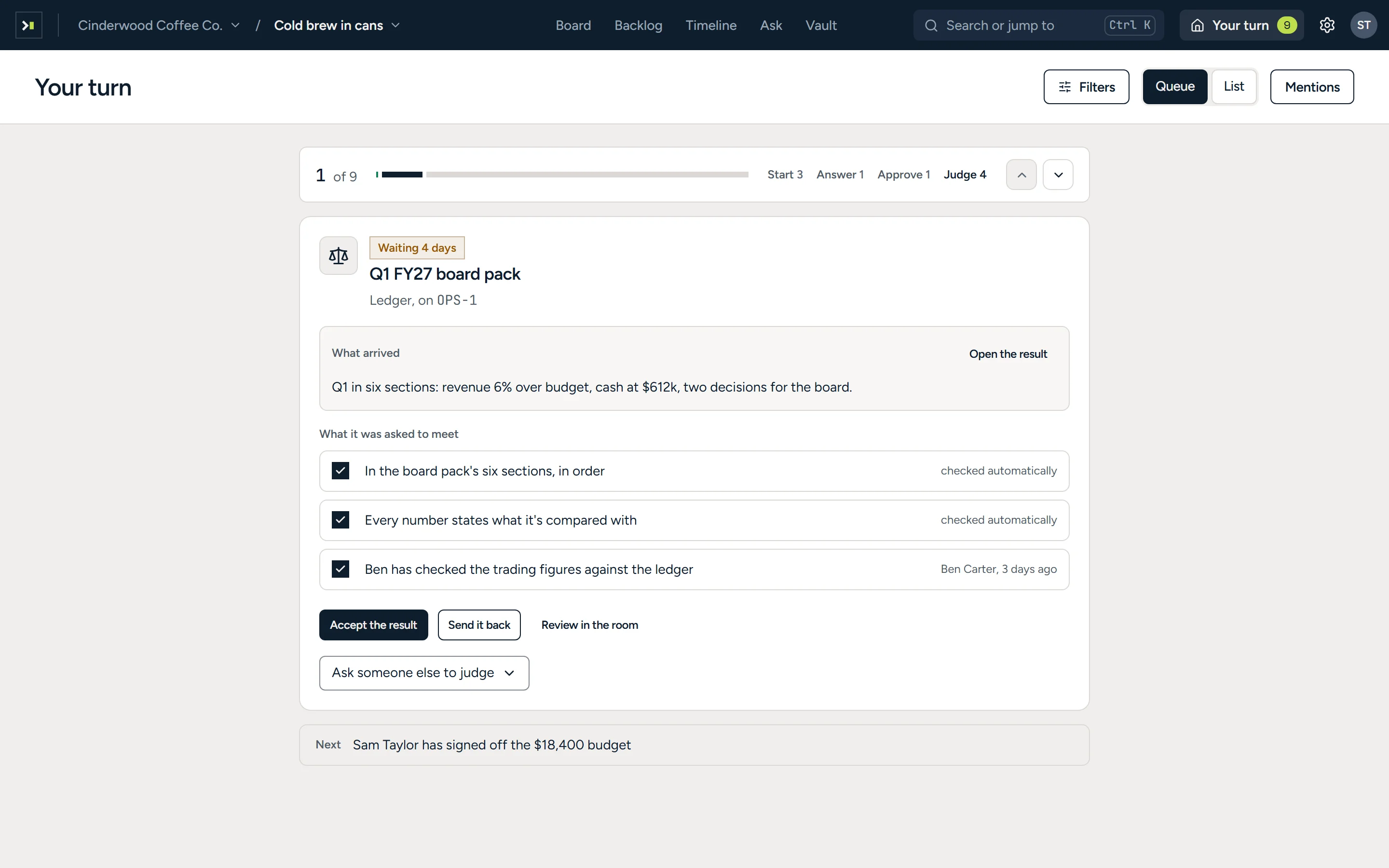
Arbituro’s Your turn screen: one of nine items, counted as Start 3, Answer 1, Approve 1 and Judge 4; a board pack waiting four days for judgment, with its three done-when lines ticked, Accept the result, Send it back and Review in the room, Ask someone else to judge, and the next item named below.
A board pack waiting four days for a decision, with its acceptance criteria checked and the next item below.

Deliverables

Agents hand in finished work.

Ask for a report, a one-page memo or a deck and you get exactly that, in your brand, with charts, pictures and sources. Print it, or open it in Word or PowerPoint.
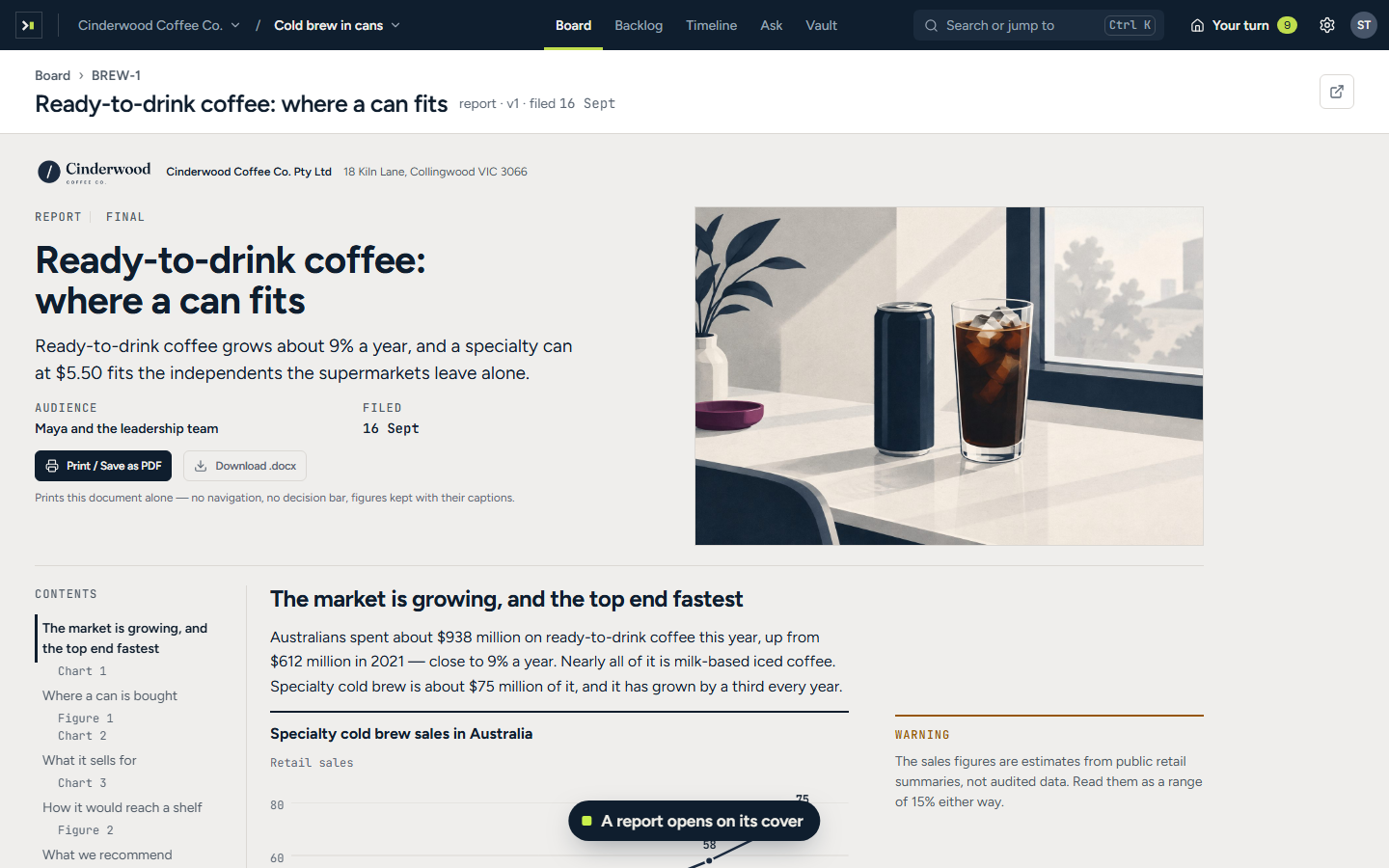
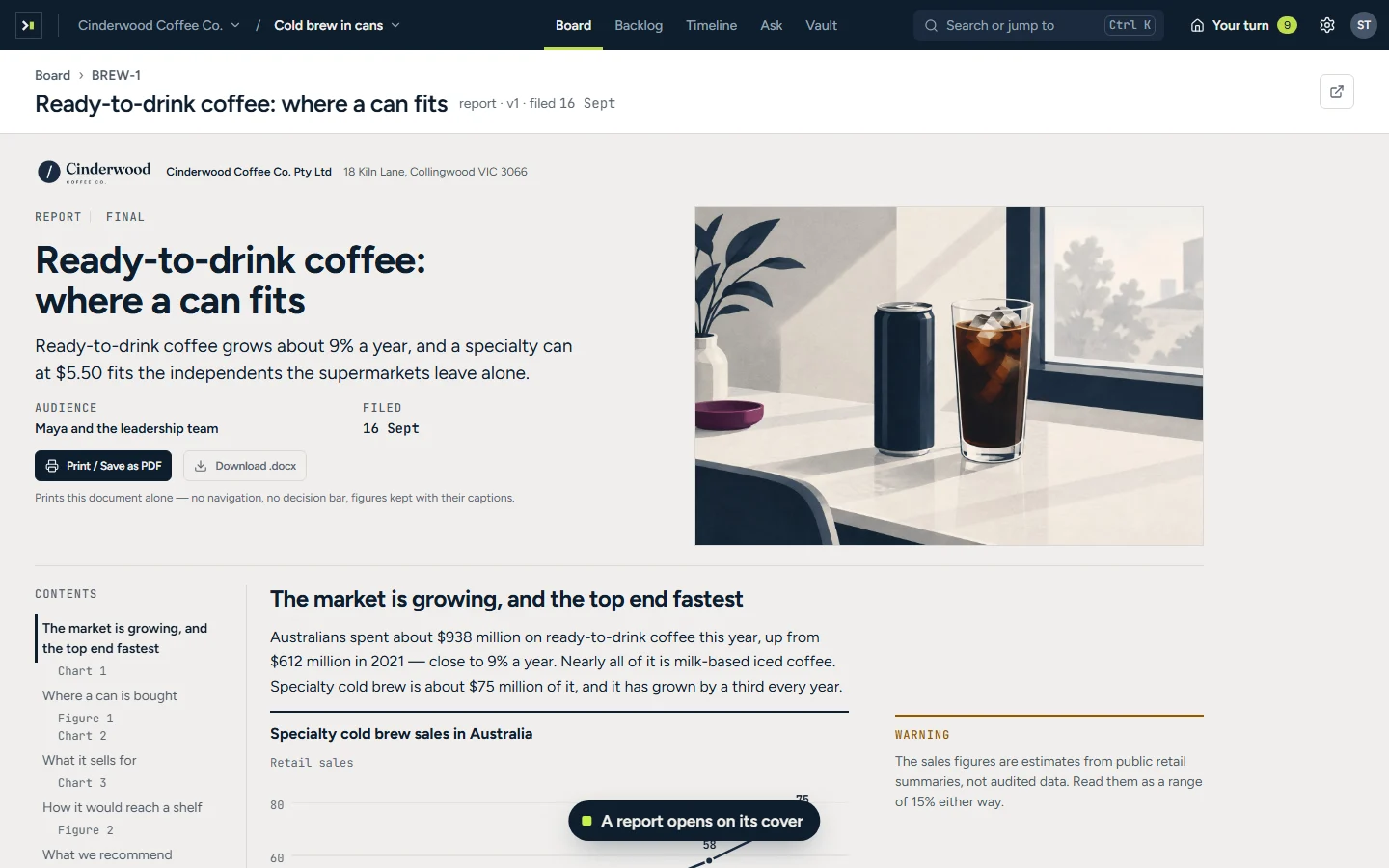
The market report opens on its cover, then scrolls through its contents: a line chart of sales, a pie chart of where ready-to-drink coffee is bought, a drawn fridge, a bar chart of shelf prices with a key number, and a diagram of how a can reaches a shelf, before the pointer rests on Print / Save as PDF. Captions: A report opens on its cover; Charts, figures and a diagram, set from what the report says; Printed, it numbers its pages; downloaded, it is a Word file in your brand.
A market report as Arbituro delivers it, opening on its cover, with charts, a drawn figure and a diagram.
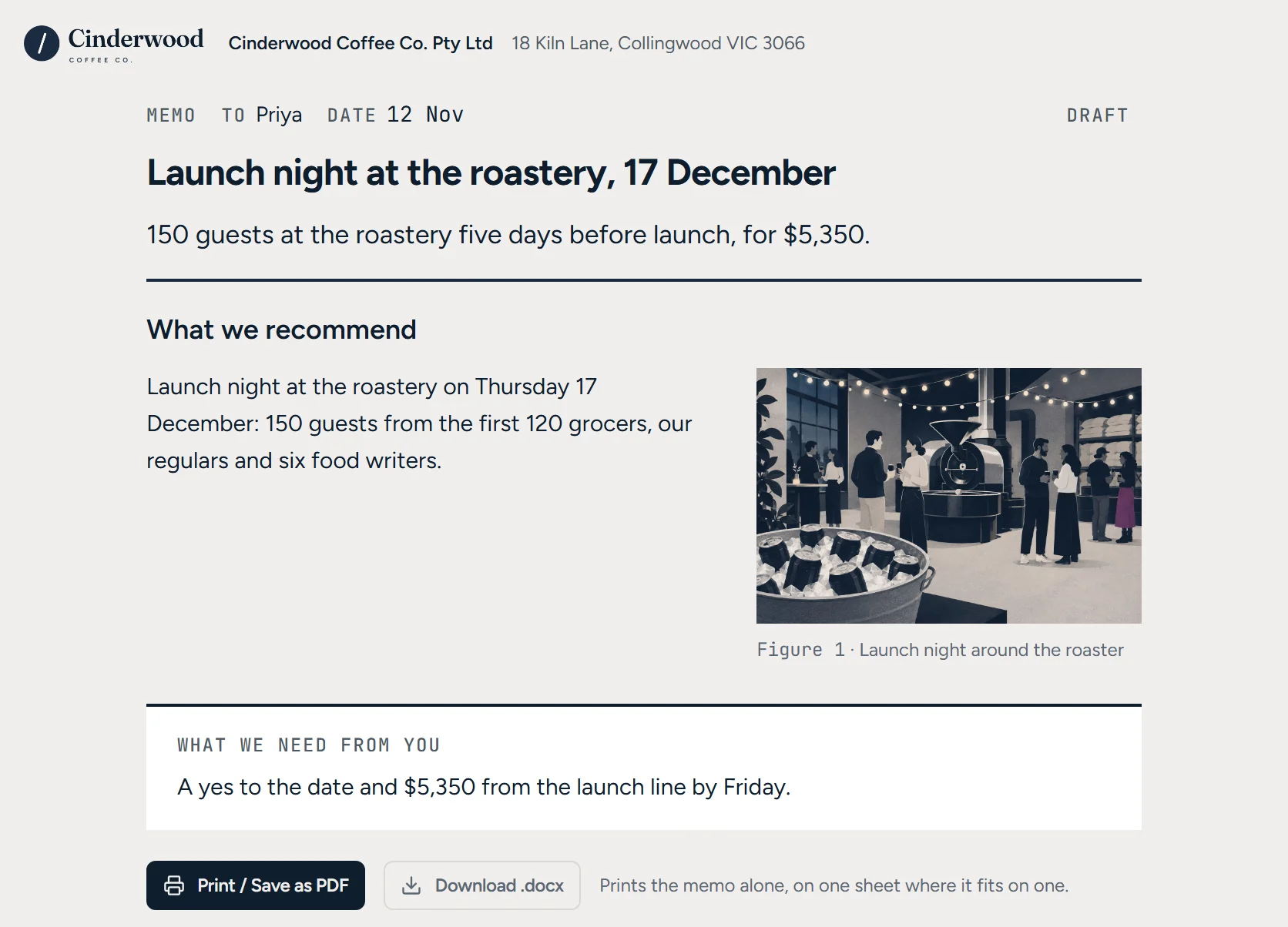
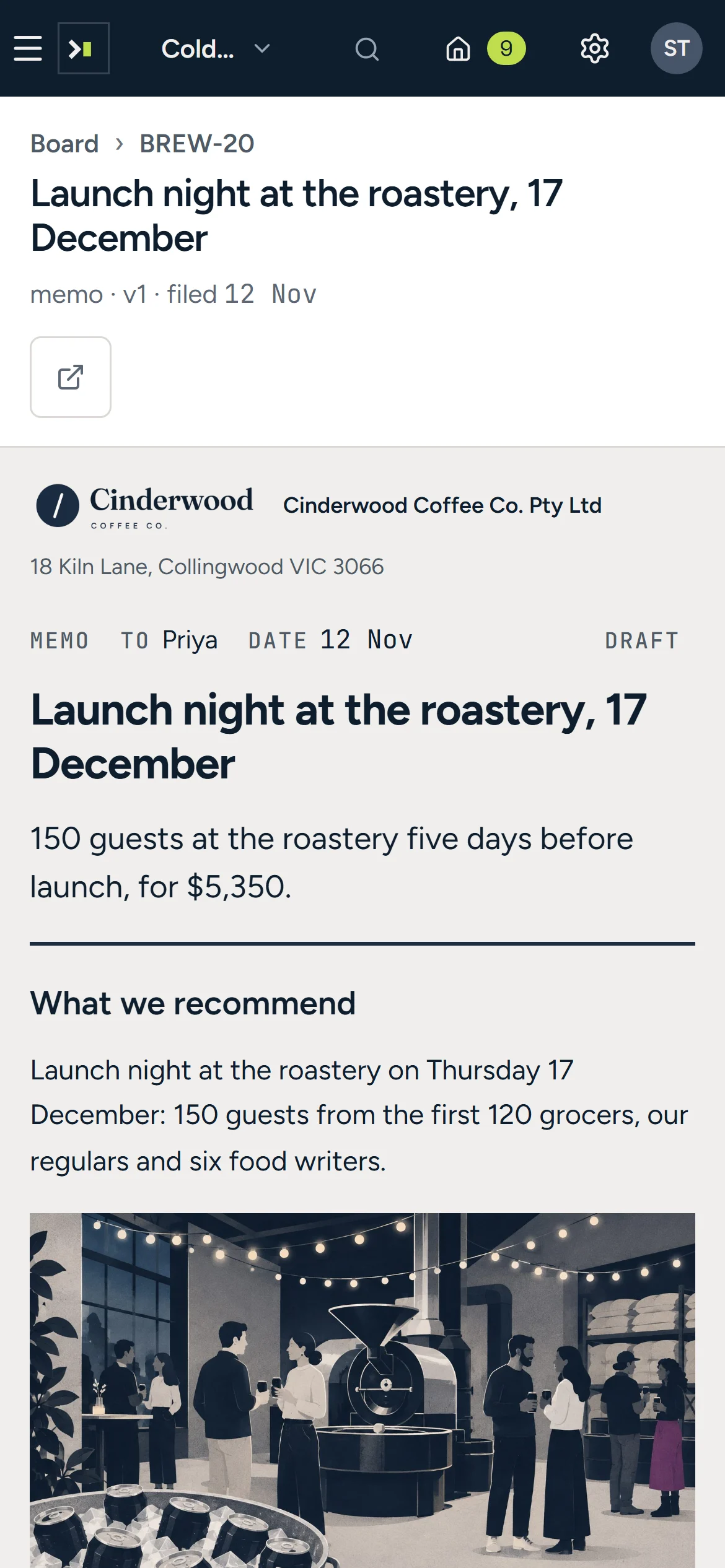
The one-page memo ‘Launch night at the roastery, 17 December’ on Cinderwood’s letterhead: what it recommends, its picture or chart, and what it needs from its reader.
A one-page memo with the decision first, and the picture it needed.
A flat editorial illustration in ink navy, warm chalk and white: a Saturday tasting in a grocer’s aisle.
A flat editorial illustration in ink navy, warm chalk and white: cans on a filling line at a co-packer.
A flat editorial illustration in ink navy, warm chalk and white: launch night around the roaster.
A flat editorial illustration in ink navy, warm chalk and white: four cans in a paper sleeve.
Pictures in Arbituro’s illustrated house style, made for the launch’s reports, memos and decks.

Present decks straight from Arbituro.

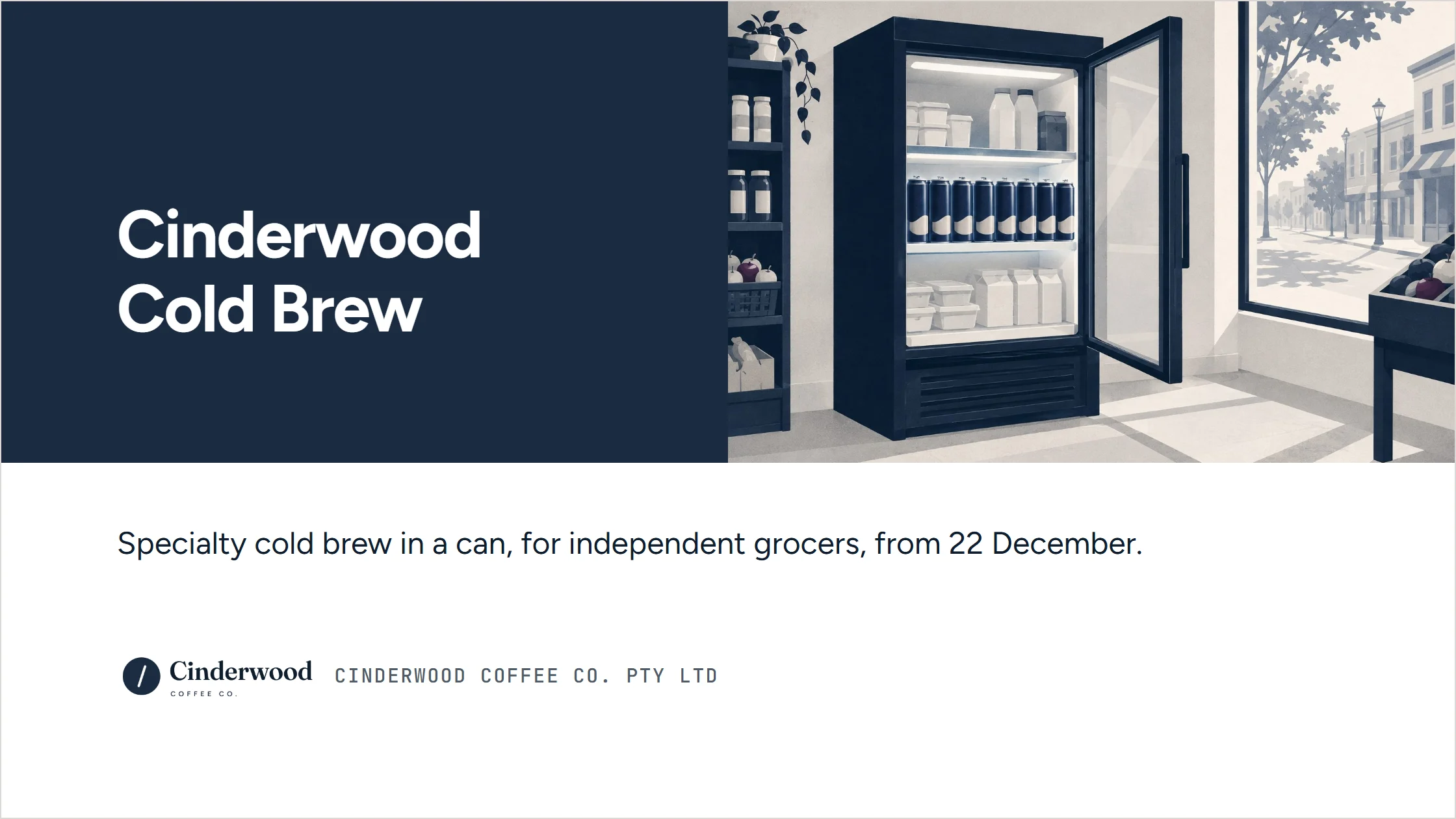
A slide from the pitch deck for independent grocers, in Cinderwood’s navy. Title slide ‘Cinderwood Cold Brew’ on navy beside a drawn grocer’s fridge stocked with cans: specialty cold brew in a can, for independent grocers, from 22 December.
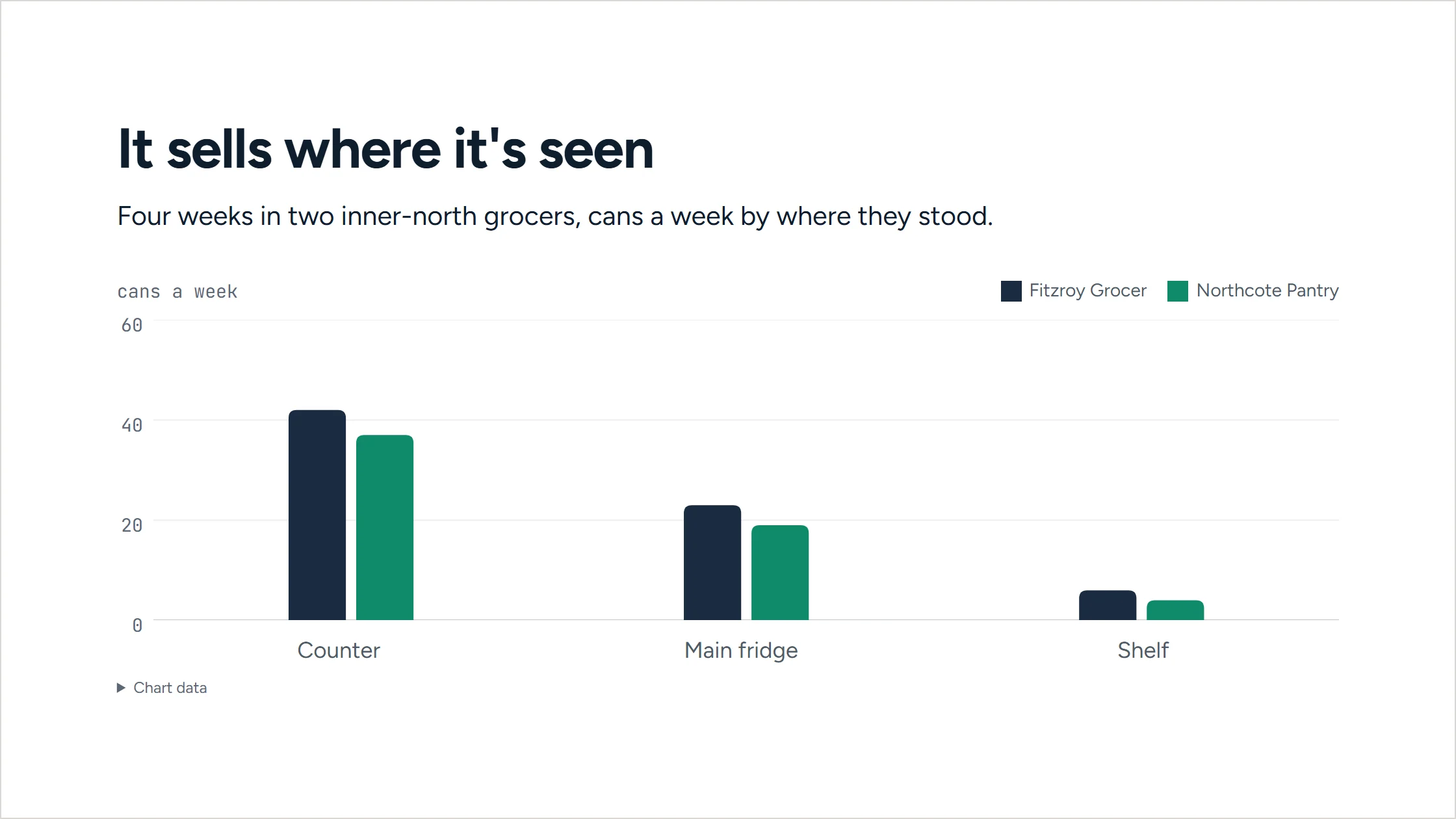
A slide from the pitch deck for independent grocers, in Cinderwood’s navy. ‘It sells where it’s seen’: a bar chart of cans a week at Fitzroy Grocer and Northcote Pantry by where the cans stood — counter, main fridge, shelf.
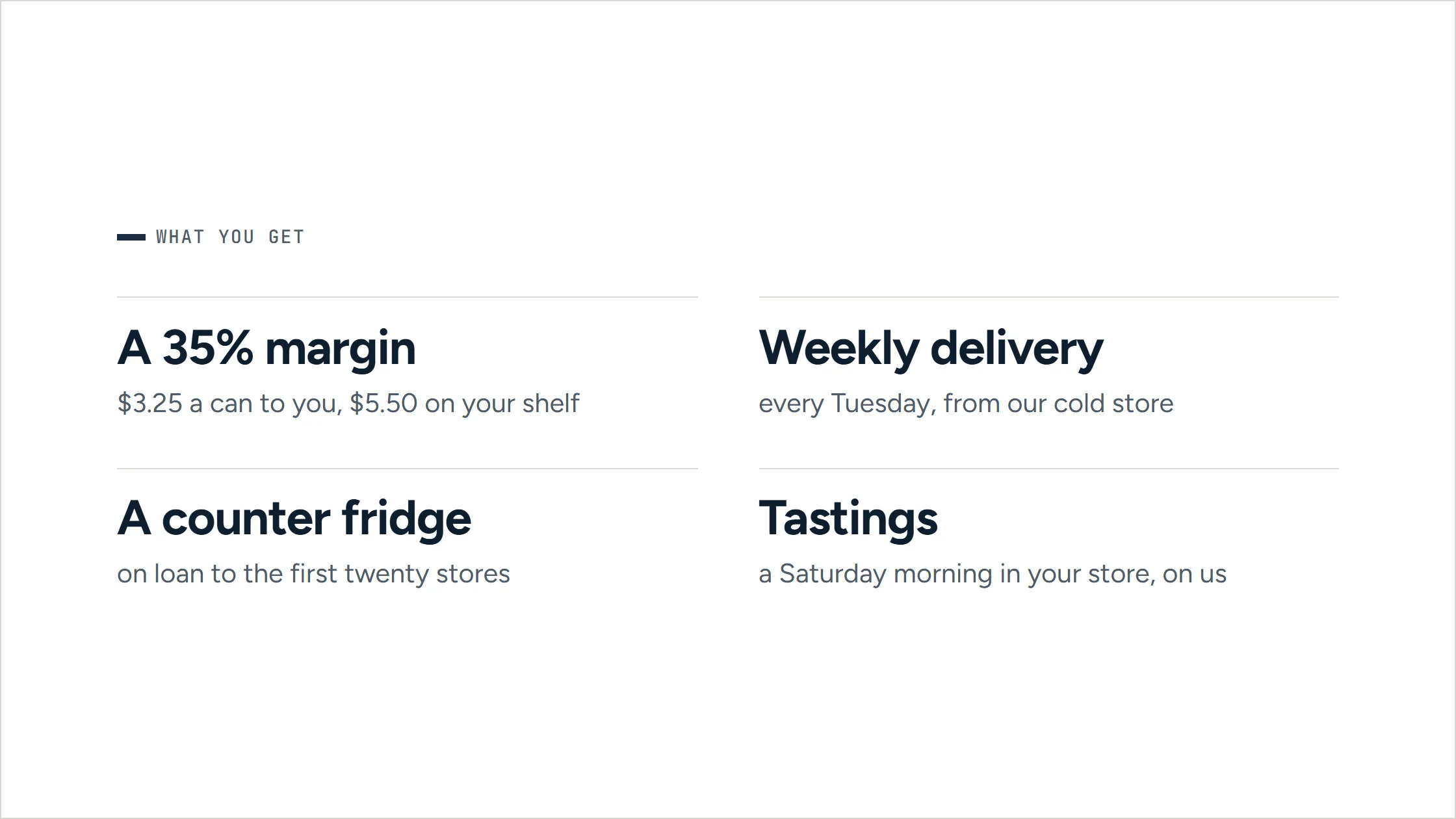
A slide from the pitch deck for independent grocers, in Cinderwood’s navy. ‘What you get’: four cards — a 35% margin, weekly delivery every Tuesday, a counter fridge on loan to the first twenty stores, and tastings.
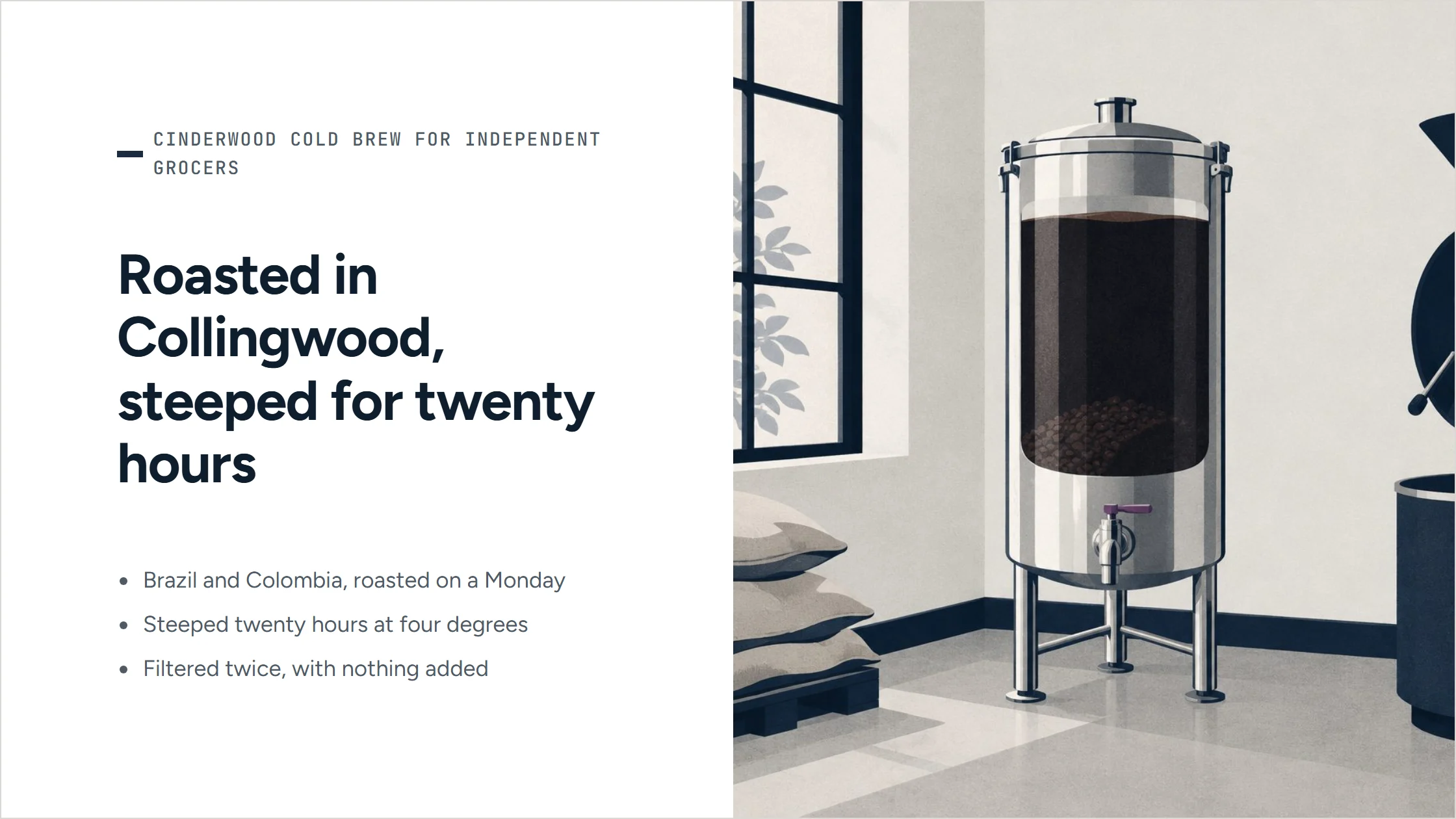
A slide from the pitch deck for independent grocers, in Cinderwood’s navy. ‘Roasted in Collingwood, steeped for twenty hours’: three points beside a drawn steeping tank.
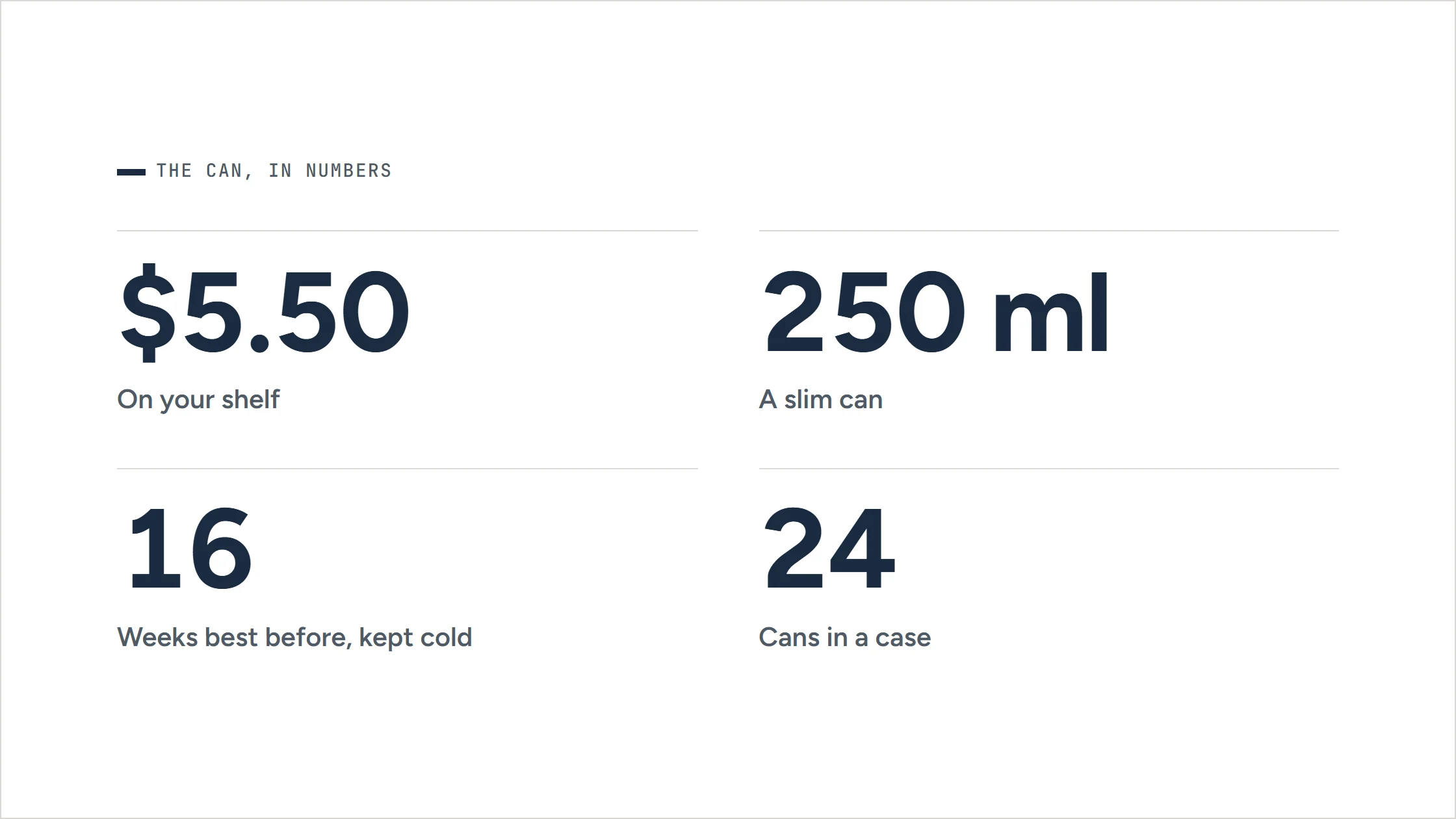
A slide from the pitch deck for independent grocers, in Cinderwood’s navy. ‘The can, in numbers’: $5.50 on your shelf, 250 ml, 16 weeks best before kept cold, 24 cans in a case.
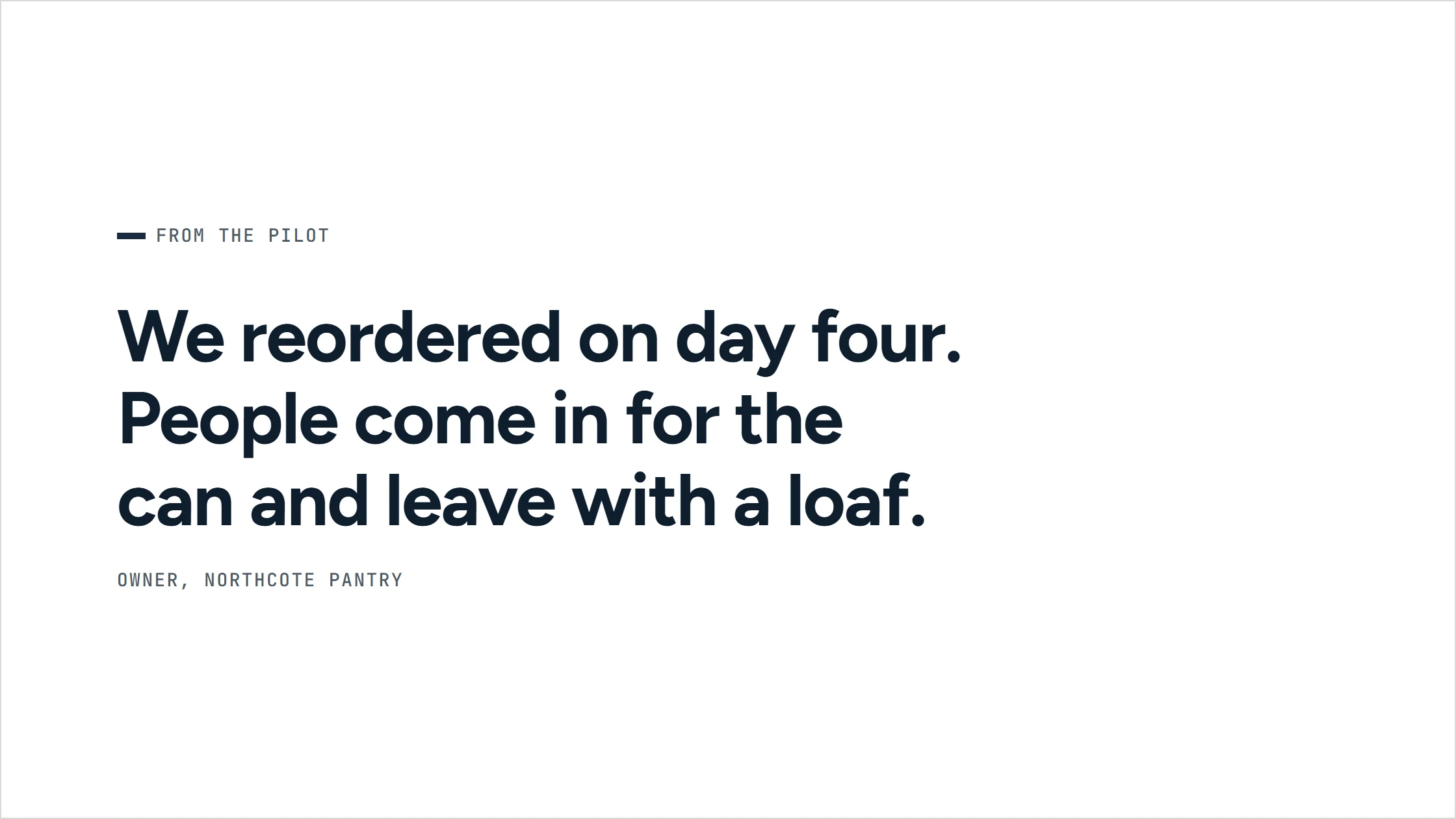
A slide from the pitch deck for independent grocers, in Cinderwood’s navy. ‘From the pilot’: a grocer’s quote — they reordered on day four.
A slide from the pitch deck for independent grocers, in Cinderwood’s navy. ‘Tastings in your store, on us’ over a drawn picture of a Saturday tasting in a grocer’s aisle.
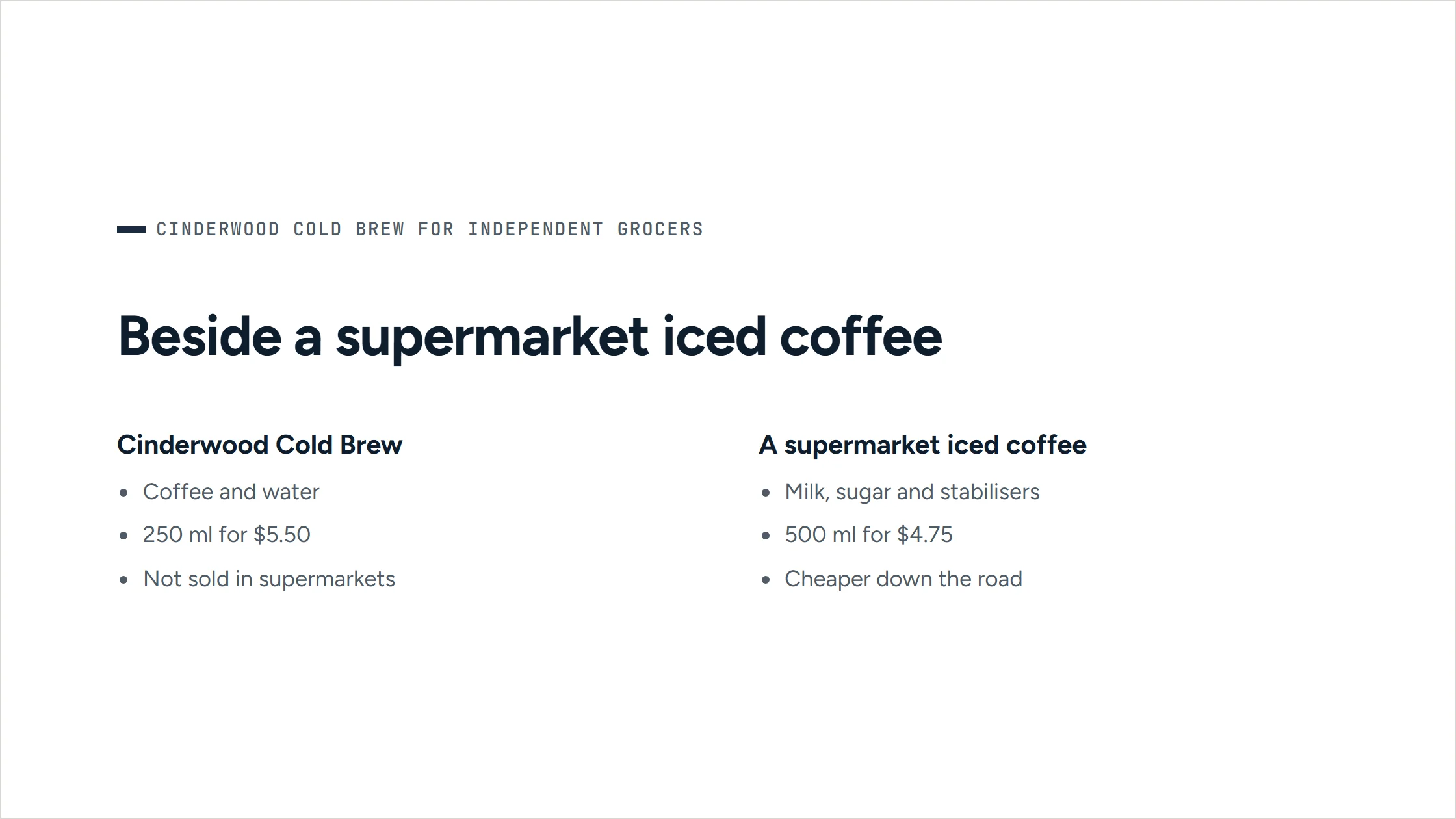
A slide from the pitch deck for independent grocers, in Cinderwood’s navy. ‘Beside a supermarket iced coffee’: the can compared with a supermarket iced coffee.
A slide from the pitch deck for independent grocers, in Cinderwood’s navy. ‘Delivered every Tuesday’: how ordering and delivery work, beside a drawn dawn delivery.
A slide from the pitch deck for independent grocers, in Cinderwood’s navy. ‘How an order starts’: four steps from a tasting to the first cases and the counter fridge.
A slide from the pitch deck for independent grocers, in Cinderwood’s navy. Closing statement: order by 8 December; your first cases arrive the morning the cans go on sale.
All eleven slides of a pitch deck as Arbituro delivers it, in the workspace’s brand. Presenter view keeps your notes on your screen, and the deck downloads as PowerPoint.

Sign it off against what you agreed.

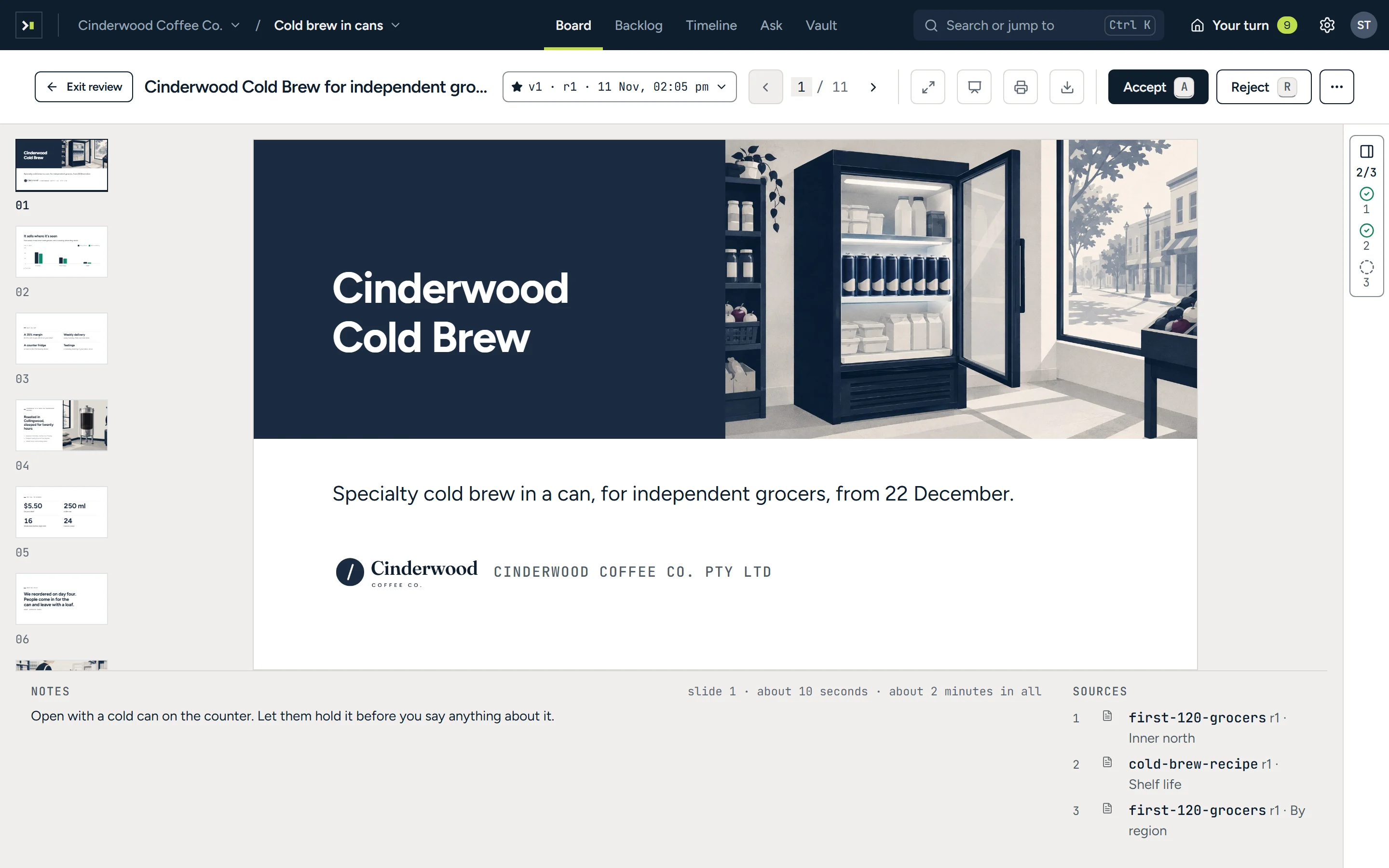
The review room for the grocer pitch deck: its navy cover slide fills the screen, slide thumbnails on the left, speaker notes and sources below, the done-when strip at the right edge, and Accept and Reject in the bar above.
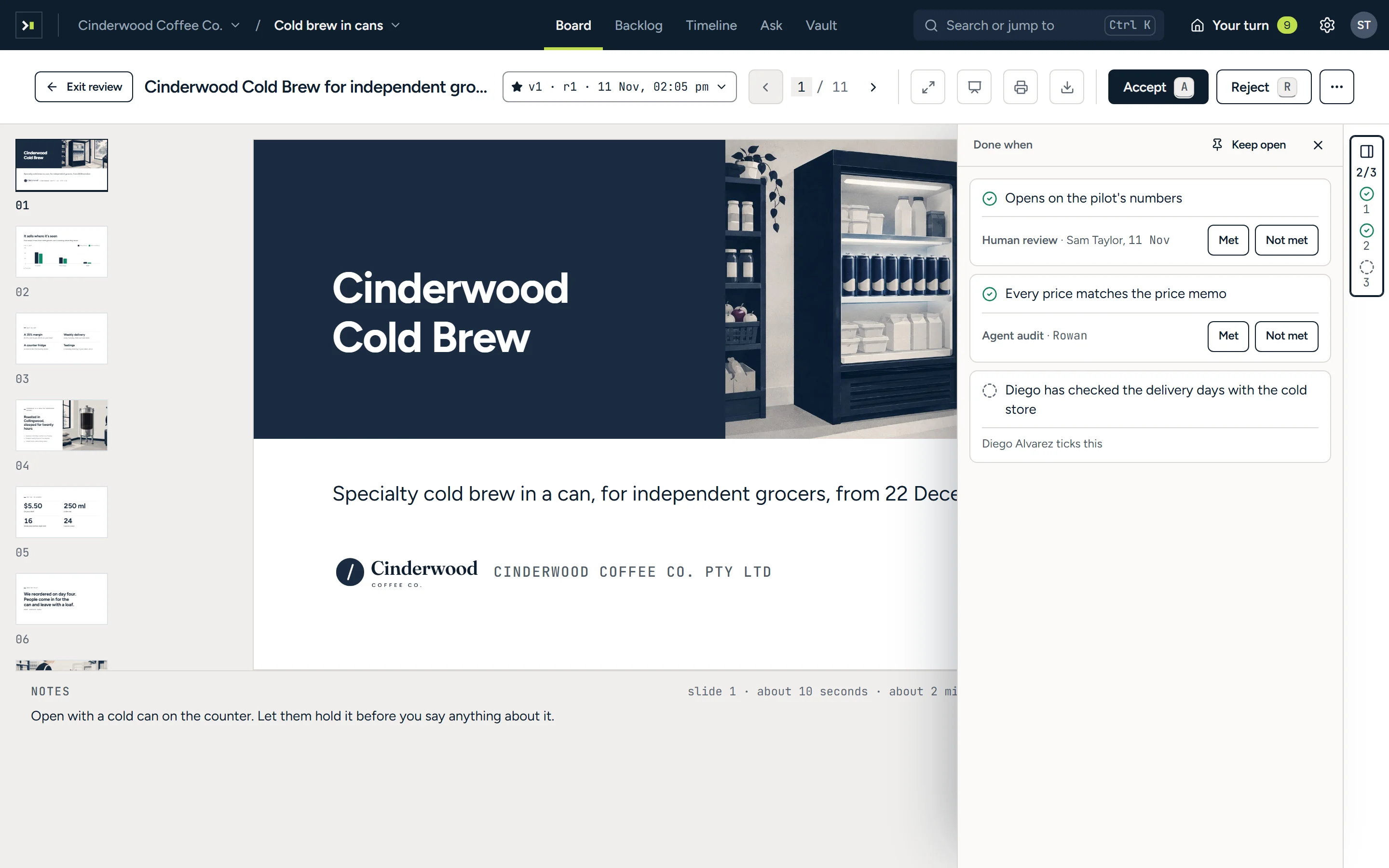
The review room with the done-when drawer open: two lines met, one by Sam Taylor’s review and one by the agent’s audit, each with Met and Not met, and one Diego Alvarez ticks.
The pitch deck full size, the way its audience will see it, with its notes and sources below. Then its acceptance criteria open beside it, each marked as it is checked.

Backlog

A tidy backlog, without the clean-up meeting.

An agent proposes the refinement: duplicates to drop, vague jobs to split and work to reassign, each with its reason. You accept or decline every change, and can undo it.
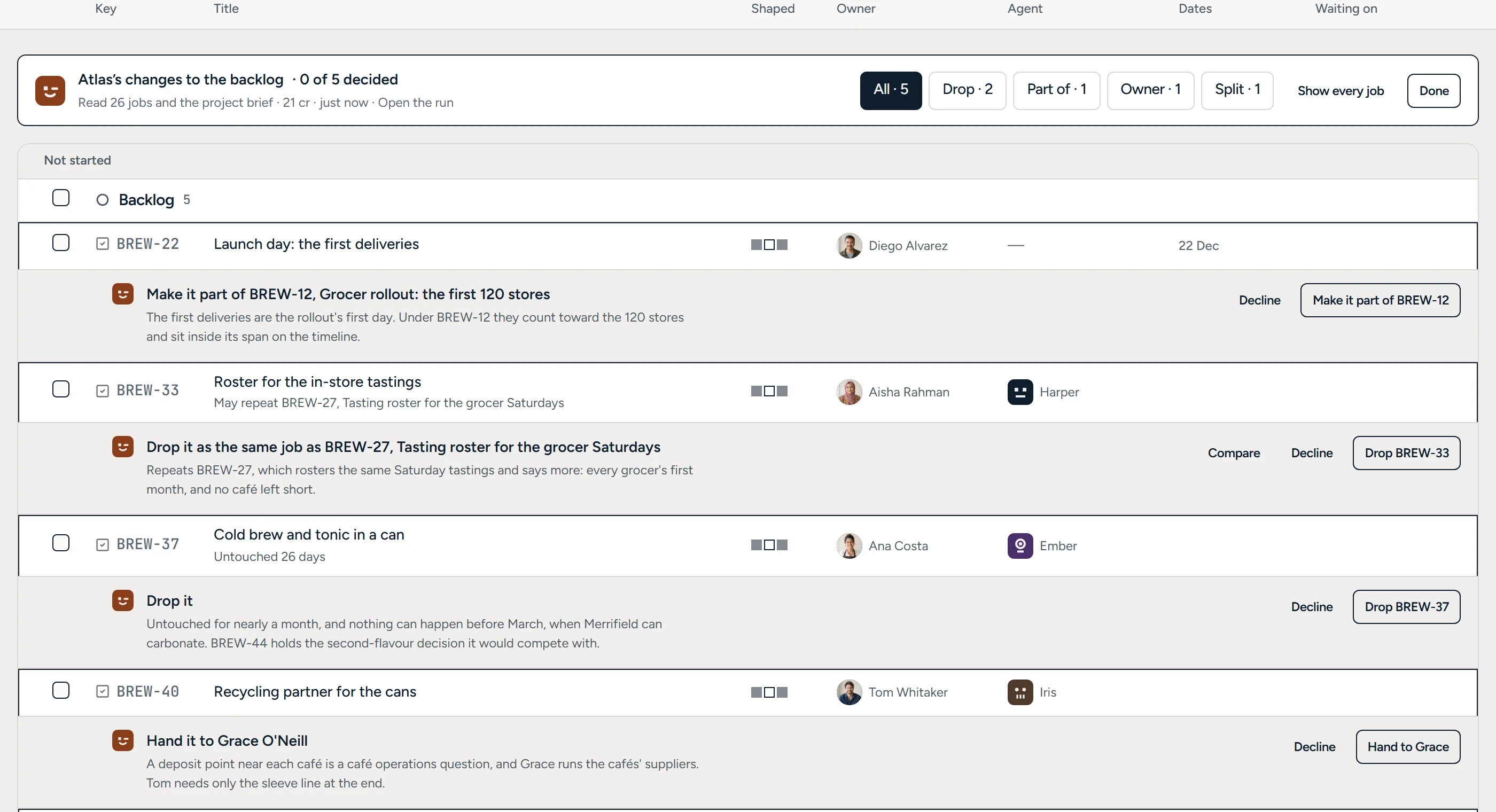
The backlog in review: Atlas’s band with five changes and filters by kind, and under BREW-22 its proposal to make it part of the grocer rollout, with its reason.
Each change the agent proposes, under the job it changes, with its reason.

Planning

Let the agent draft the schedule.

Plan on familiar boards, backlogs and timelines. An agent schedules undated jobs around priority, due dates and availability, and you approve the dates before anything moves.
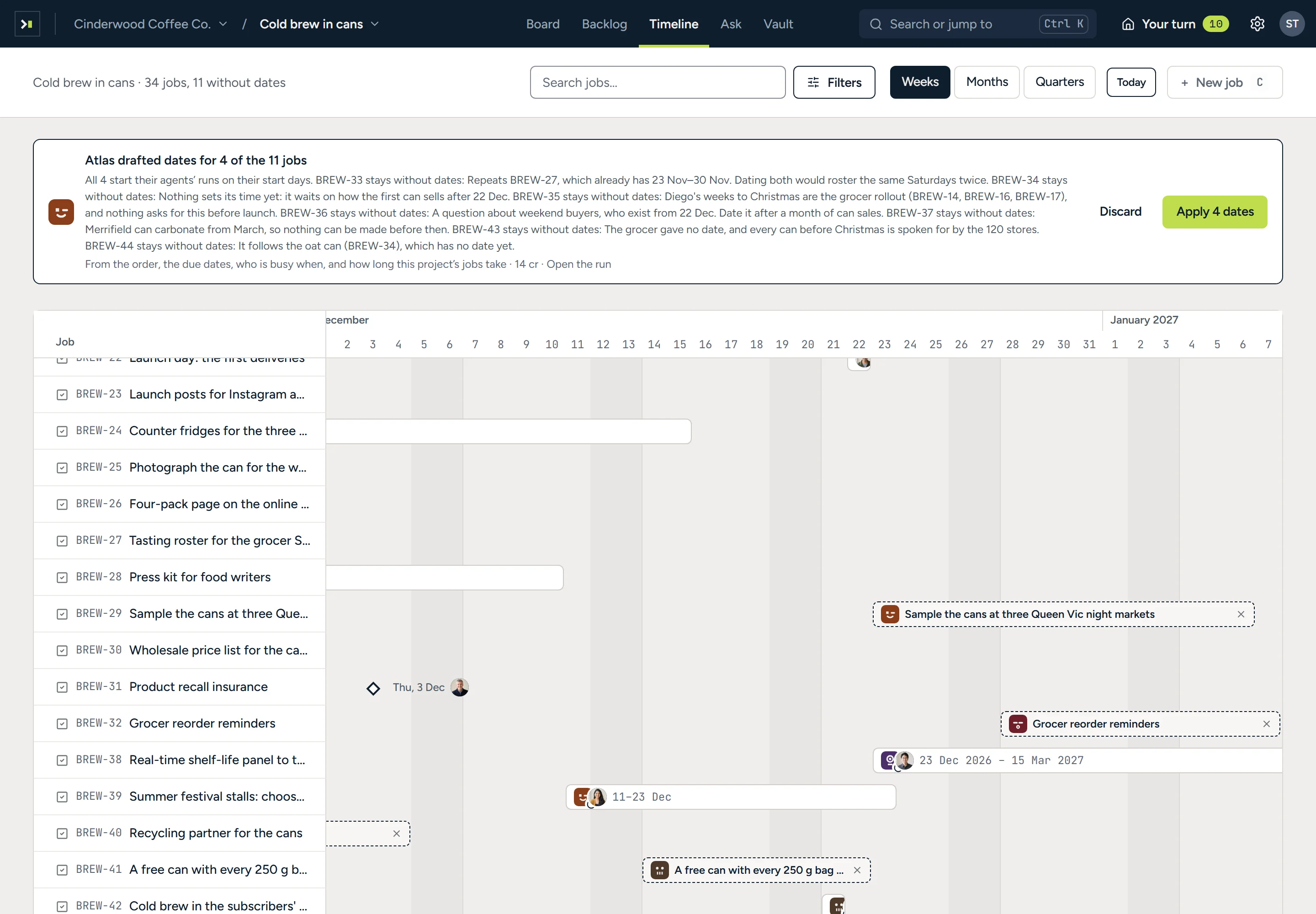
The timeline scrolled to December with a band reading ‘Atlas drafted dates for 4 of the 11 jobs’, why each job it left alone stays without dates, Discard and Apply 4 dates, and dashed bars where the drafted jobs would go.
Dates the agent drafted for unscheduled jobs, each with its reason, waiting for you to apply them.

Access

Know exactly what each agent can touch.

See in one place which integrations every agent can reach, and what each one is doing now.
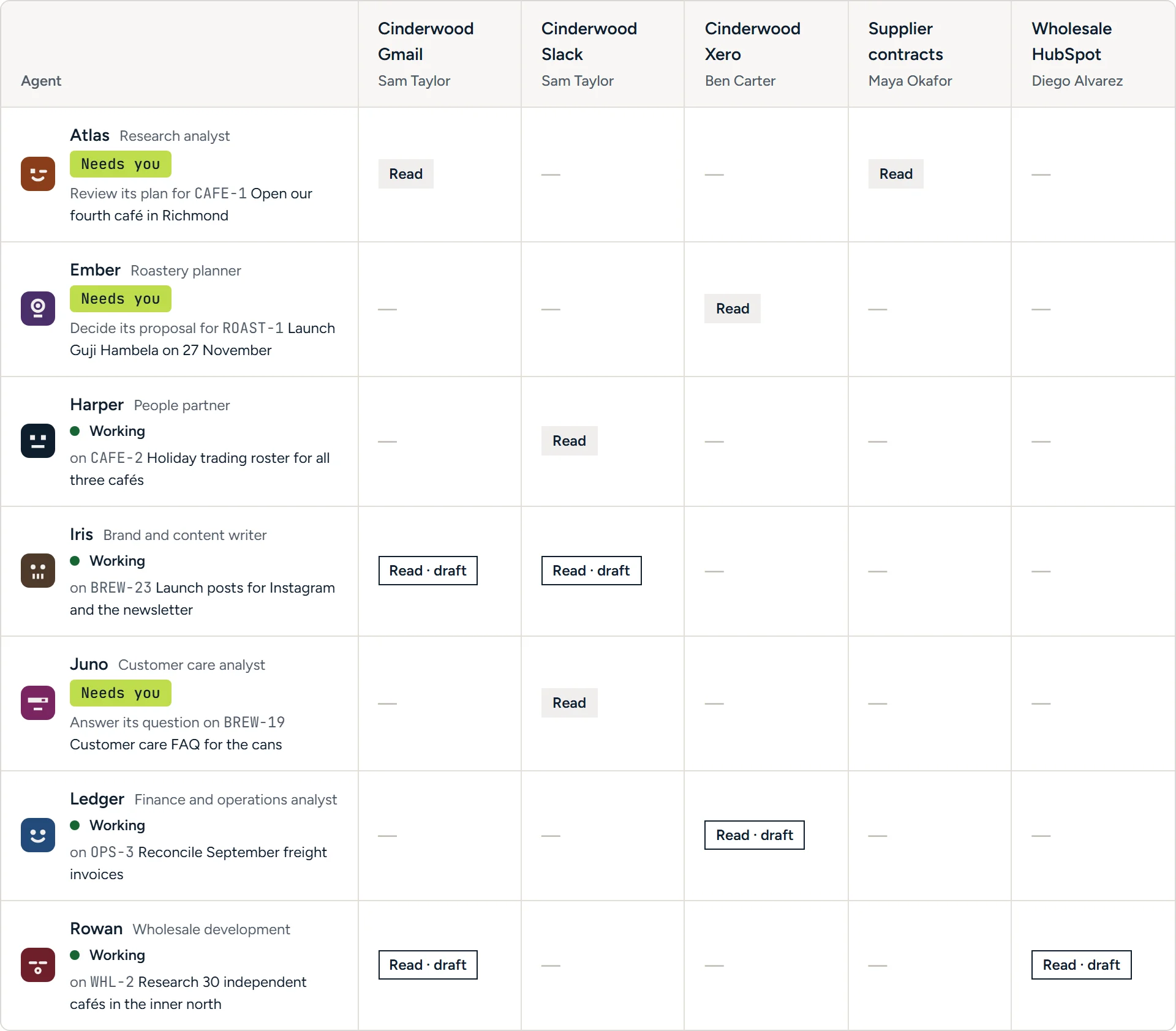
The roster grid: seven agents in rows, five connections in columns, each cell Read or Read · draft, with what each agent is doing now.
Seven agents against five integrations, each cell showing read, or read and draft.

Audit trail

See everything an agent did.

Each run keeps a plain account of what the agent read, used and delivered, in order. Every tool call is logged, refused ones too, with who approved it, and owners and admins can export the log as CSV.
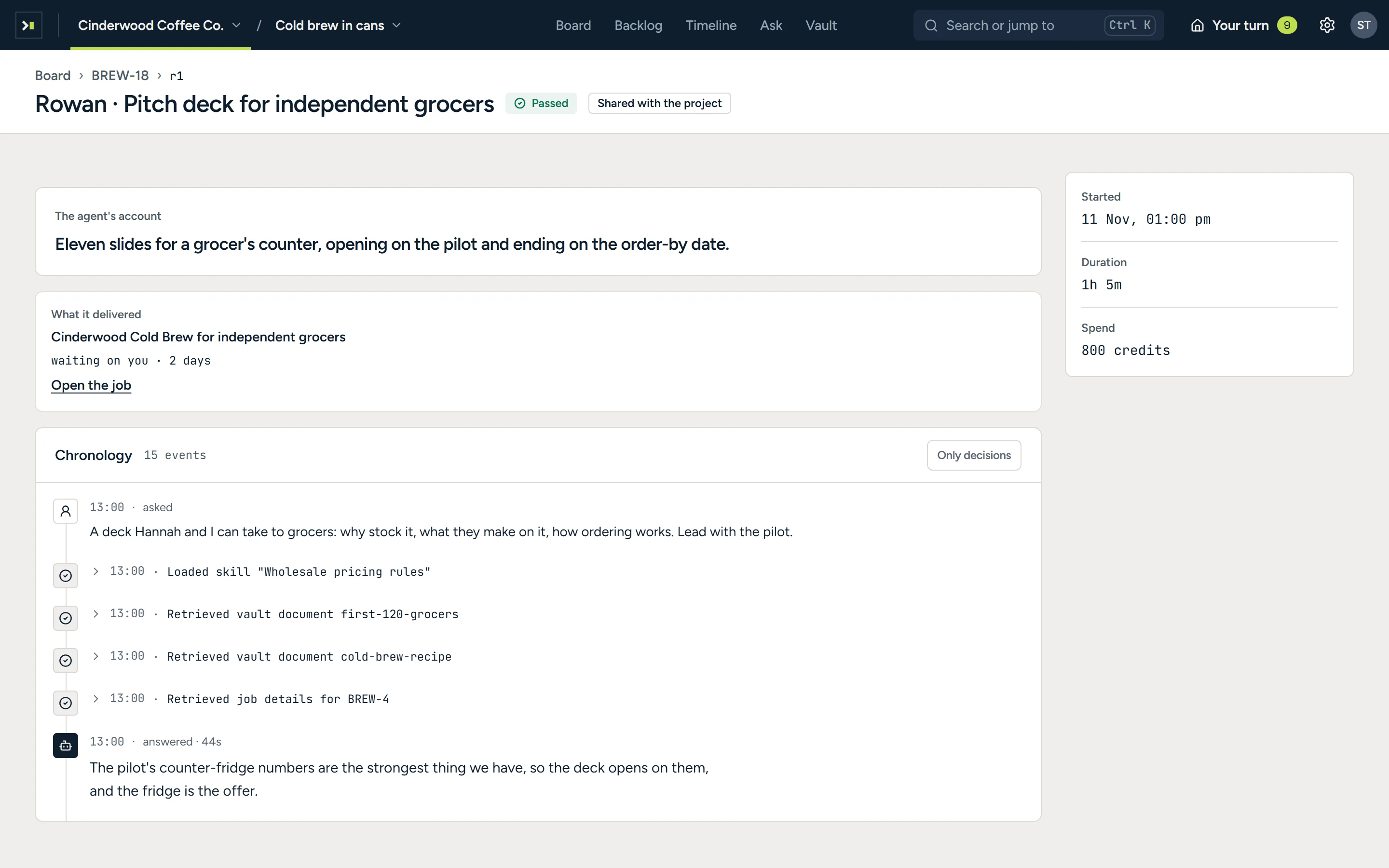
A run’s record: Rowan on the pitch deck, passed and shared with the project. The agent’s one-line account, what it delivered and that it waits on you, its chronology from the request through the skill and documents it read, and when it started, how long it took and what it spent in credits.
One run’s record, from the agent’s own summary to the credits it spent.

Coding agents

Your coding agent works the same jobs.

Claude Code, Cursor and VS Code connect over MCP as you, and work a job from its brief, approved plan and acceptance criteria. Their commits and pull requests link to the job on their own, a passing CI check meets the criterion it decides, and a person signs off the rest. A coding agent can’t approve, merge or change access, and every call is audited.
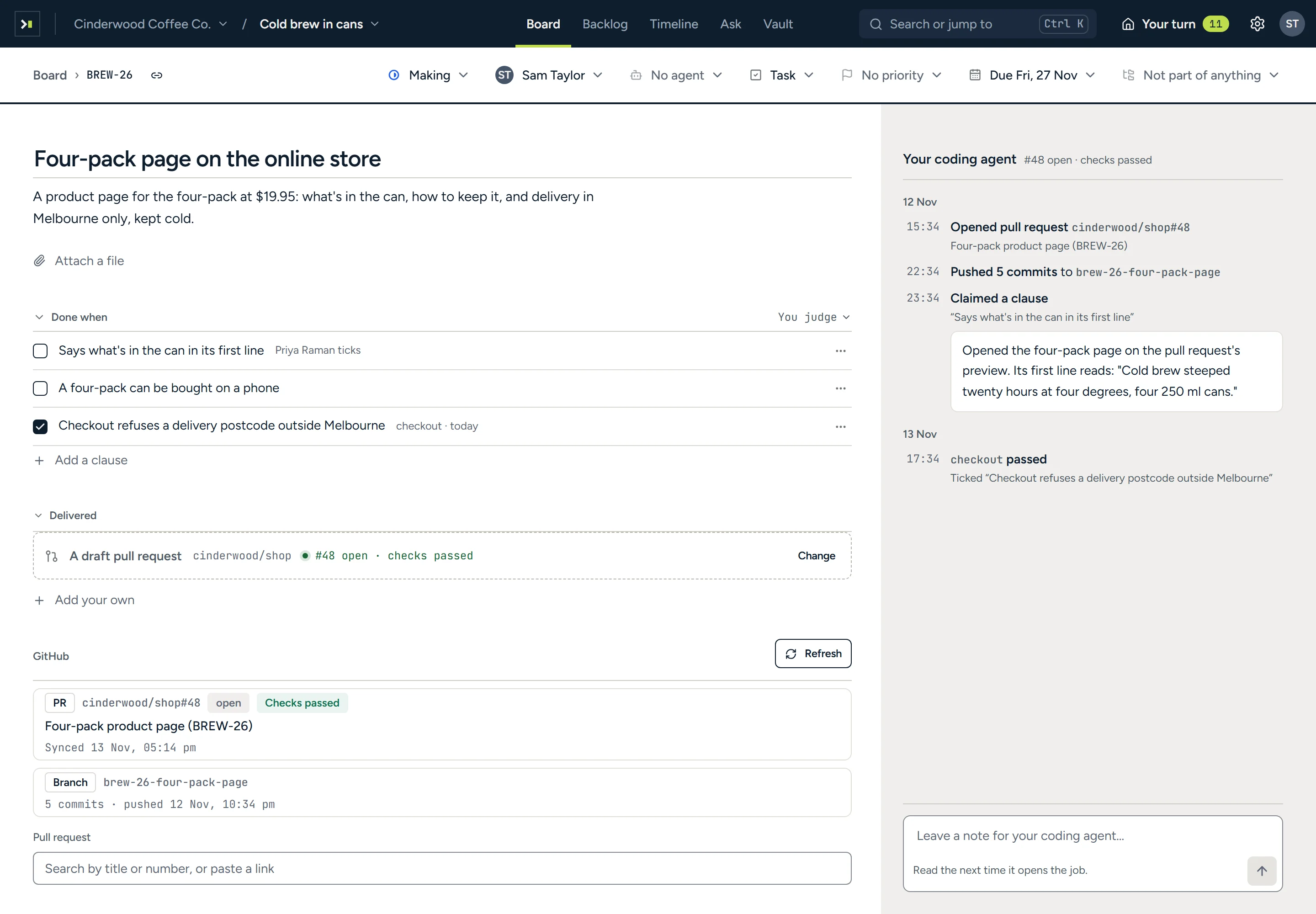
The job ‘Four-pack page on the online store’, Sam Taylor’s, with a draft pull request in cinderwood/shop as its result. Its done-when: a line Priya Raman ticks, a line still open, and ‘Checkout refuses a delivery postcode outside Melbourne’ ticked by the checkout check. Delivered reads #48 open, checks passed; under GitHub, the pull request ‘Four-pack product page’ and its branch with 5 commits. Beside it, Your coding agent, with what it did in order: opened the pull request, pushed 5 commits, claimed a clause with what it checked, and the checkout check passing; and a place to leave it a note.
A job a coding agent works: its pull request with checks passed, the branch it came from and a criterion met by a CI check, and beside them what the agent did, in order.
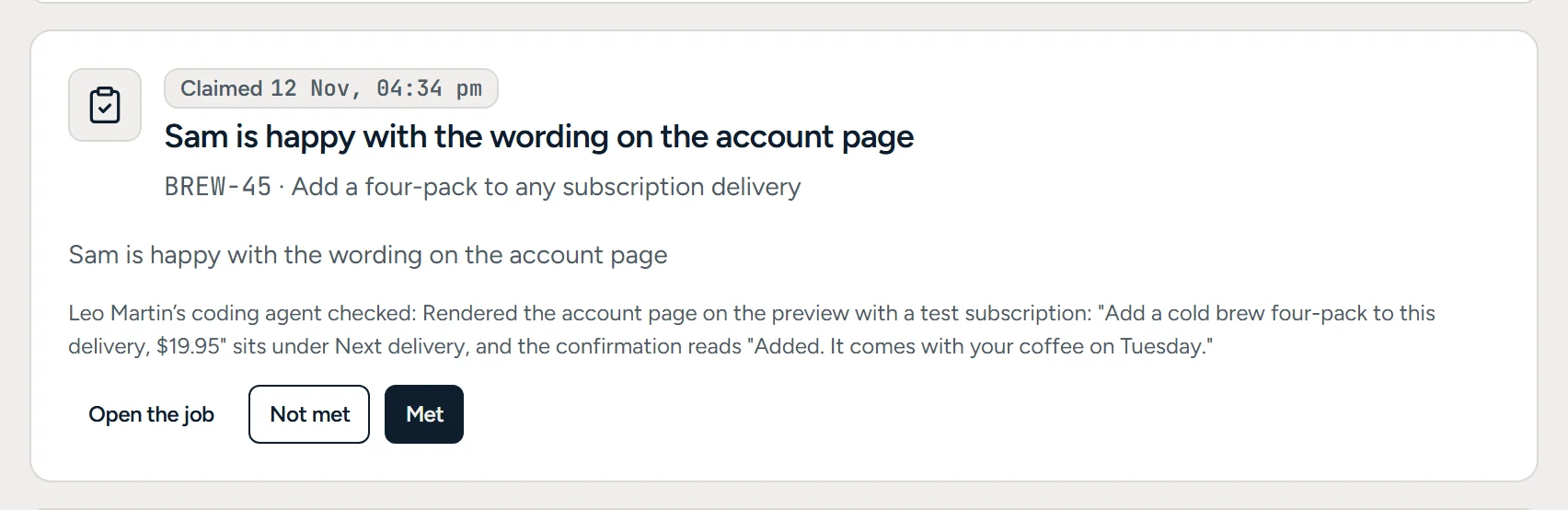
A Your turn card: ‘Sam is happy with the wording on the account page’, on the job ‘Add a four-pack to any subscription delivery’. Leo Martin’s coding agent checked: it rendered the account page on the preview with a test subscription, and quotes the button and the confirmation. Open the job, Not met and Met.
A coding agent’s evidence for a criterion, waiting for the person who decides it.
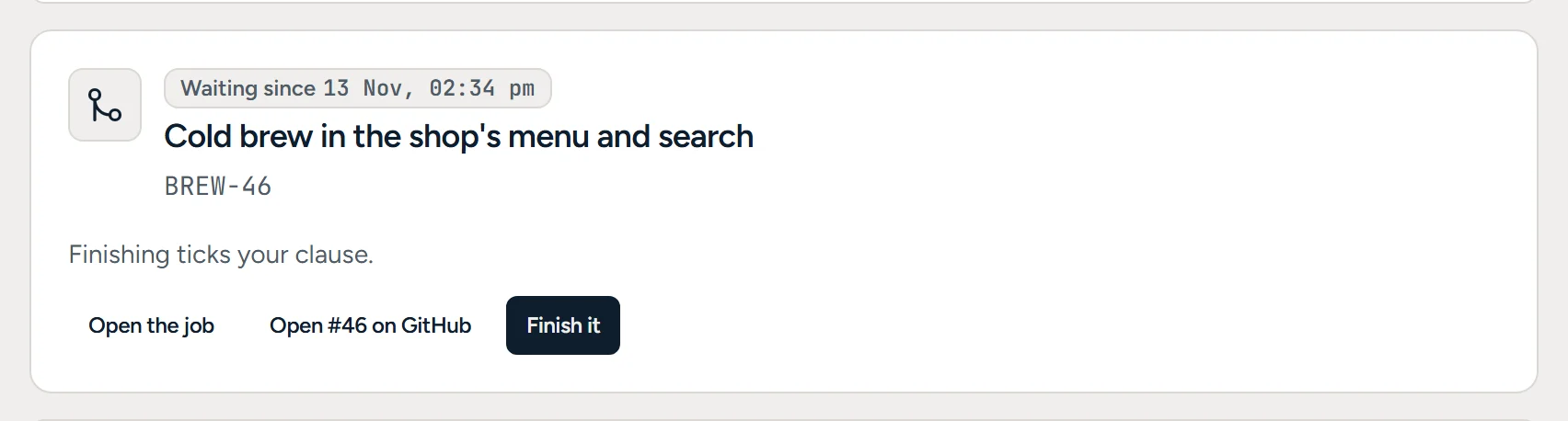
A Your turn card for the job ‘Cold brew in the shop's menu and search’: its pull request merged, and finishing ticks your clause. Open the job, Open #46 on GitHub, and Finish it.
Once the pull request merges, the person who signs off the job is asked to close it.

Integrations

Agents use your tools, with only the access you grant.

Agents start with no access outside your workspace. Each integration’s owner decides which agents can read through it or also draft, and can revoke that access at any time. Anything an agent writes through it needs a person’s approval.

  • Microsoft 365Mail, calendar, files and Teams
  • Google WorkspaceGmail, Calendar and Drive
  • SlackChannels and messages
  • GitHubRepositories and pull requests
  • Jira and ConfluenceIssues and pages
  • SalesforceCRM records
  • HubSpotContacts, companies and deals
  • XeroContacts and transactions
  • DocuSignEnvelopes
  • NotionPages
  • ZoomMeetings and recordings

Bring your backlog

Migrate from Jira or Linear with a CSV export, or use any CSV with a title column. You preview the import first, and importing the same file again is safe.

Mobile

Review and approve from your phone.

Read reports and memos, check work against its acceptance criteria and answer what is waiting on you, wherever you are.
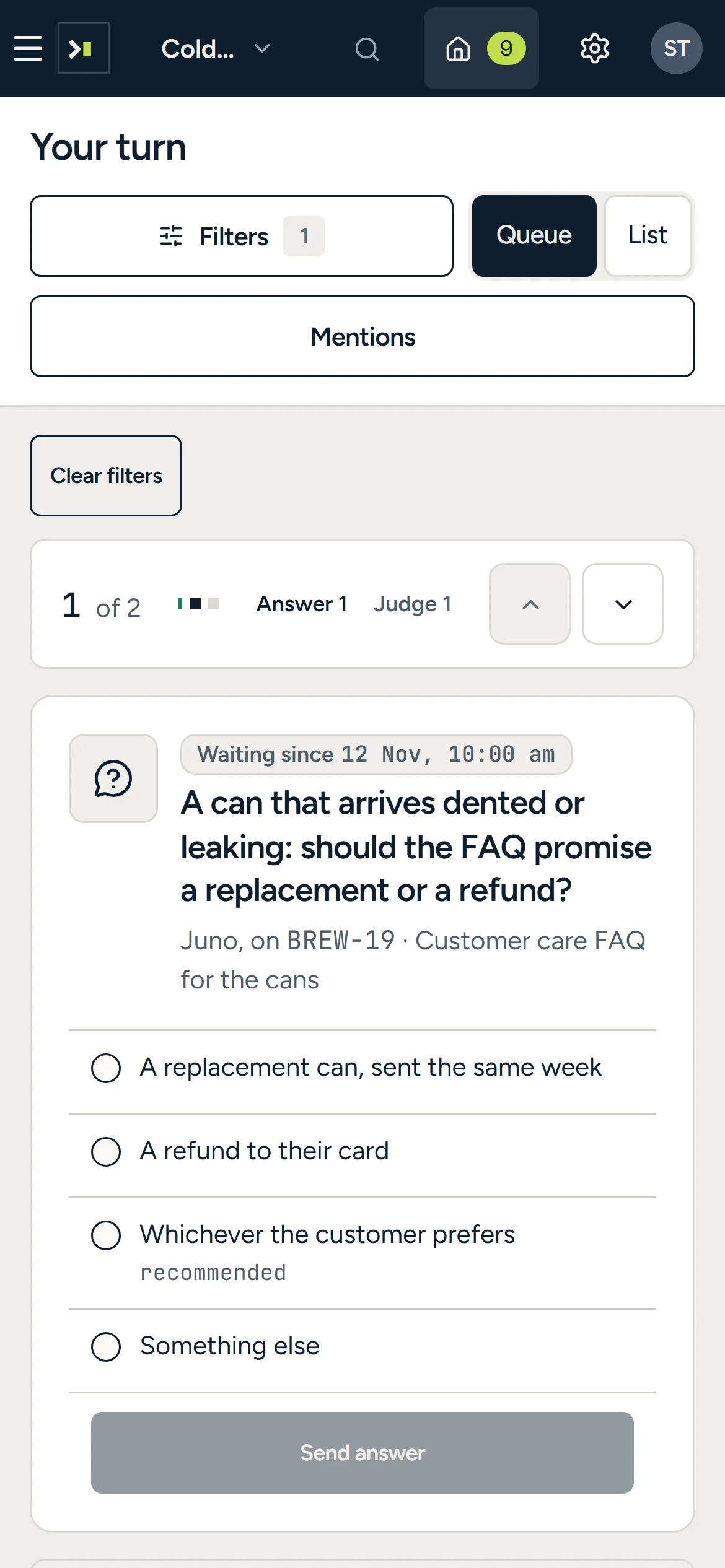
Your turn on a phone: the agent’s question about dented cans with its four answers.
The launch night memo reflowed for a phone, with its picture.
The market report on a phone, opening on its cover picture.
Your queue, a memo and a report, each laid out for a phone.

Start free, then pay per seat.

Starter

Free

A new workspace, for up to three people, with a monthly allowance of AI credits. No card needed.

Team

US$16 per seat, per month

Or US$160 per seat, per year. Team has a monthly allowance of its own, and adding a colleague adds their seat.

Credit packs

  • 20,000 credits US$20
  • 100,000 credits US$90

For a workspace on Team, when a month runs heavy. Packs never expire, and the monthly allowance is used first.

Questions

Can an agent send an email or post a message on its own?

No. A send needs approval from the integration’s owner or someone they authorise, either each time or in advance for one kind of action, for up to 90 days. Every send records who approved it.

What can an agent access?

Only what people grant it: the brief and sources on its job, documents a project admin has published, and integrations someone has shared with it. Publishing scans each document for secrets, and web search is off by default.

Can we control who sees what?

Yes. A project’s jobs are visible only to its members, and each person’s role (owner, admin, contributor or viewer) sets what they can change.

Can we require approval before work moves on?

Yes. Any column on a board can require approval before a job moves into it. Segregation of duties is on by default, so nobody can approve their own move.

Can I control what agents spend?

Yes. Usage is metered in credits against your plan’s monthly allowance. You can cap each agent’s monthly spend and give any job a credit or time limit, and work stops when it reaches a limit.

Which AI models does it use?

Models from OpenAI, Anthropic, Google, Mistral and others, depending on your plan. You choose one for each agent, and there are no API keys to manage.

Why Writan

Writan is Old English for to write. Its oldest sense was to score a mark, which is what the four strokes in our W do. Writan Labs is the company behind Arbituro.

Hand the legwork to agents.

Arbituro isn’t open yet. Join the waiting list and we’ll email you when it is.

Privacy policy

Free for up to three people once Arbituro opens. No card needed.