For teams that build with coding agents
See what your coding agents did. Check it against what you agreed.
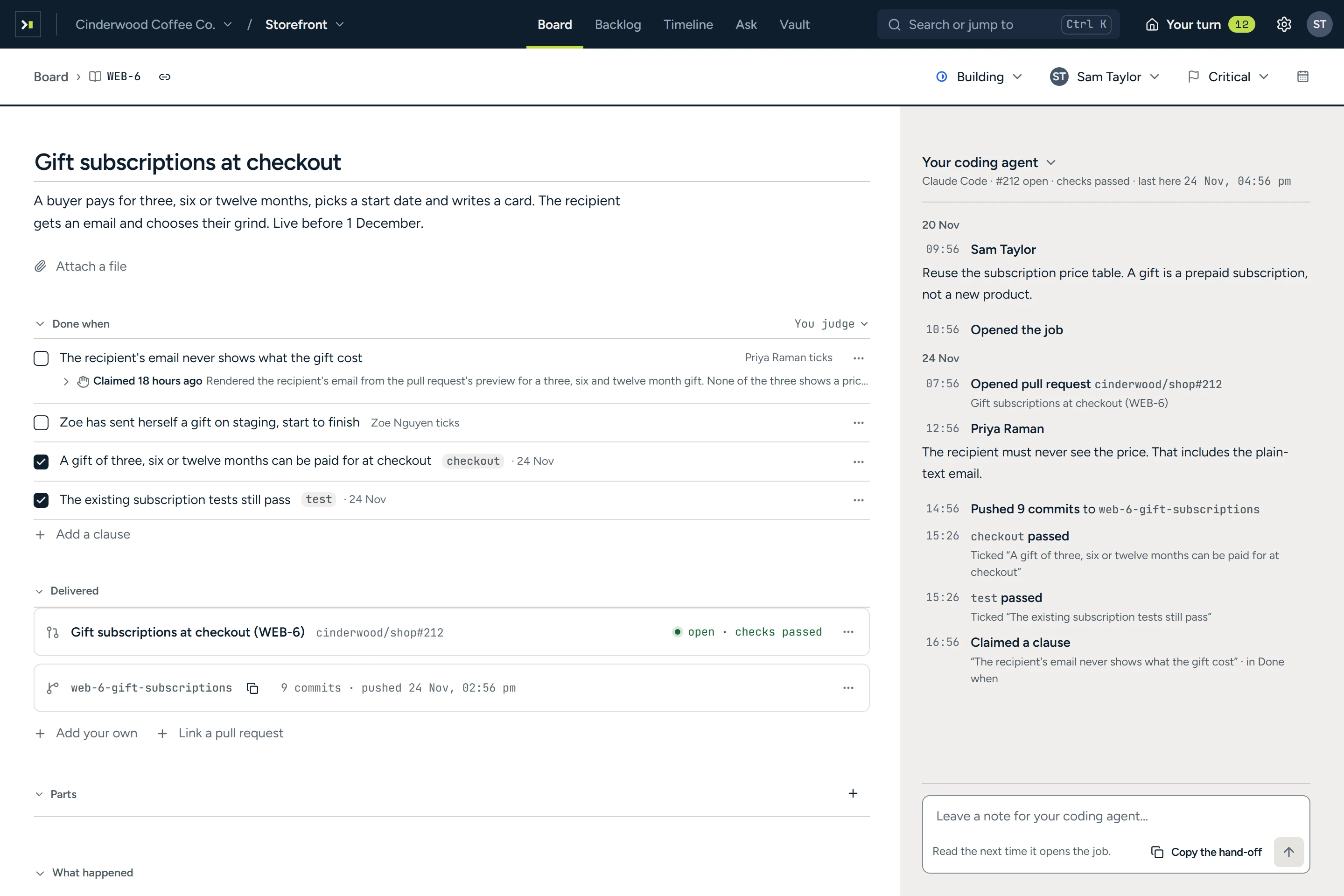
Your developers work with Claude Code, Codex and Cursor. Arbituro gives that work a place to be seen: acceptance criteria agreed before the first commit, the pull request and its checks on the job, and a person’s decision at the end.
Free to start for up to three people. No card needed.
-
Agreed first
Every job says what done means, and who or what decides each part.
-
Visible while it happens
Branches, pull requests, checks and reviews appear on the job as they land.
-
Decided by a person
A coding agent can say it is done. It cannot make it so.
The problem
“Implemented and verified” is a claim, not a verdict.
A coding agent will tell you the work is finished. Often it is. The sentence reads the same when it is not, and the only record of what was checked is a session on one developer’s machine. Arbituro holds what that session cannot: what the team agreed the job had to do, and what was shown to be true about it.
How it works
Four steps, and the agent does only one of them.
-
Agree the job
Write what you want in a line. Arbituro helps turn it into acceptance criteria, each naming what decides it: one of your CI checks, or a person by name.
-
Hand it over
The developer who owns the job pastes one line into their coding agent. The agent reads the job, its notes and its criteria, and works on a branch named for it.
-
Watch it land
The branch, the pull request, its checks and its review show on the job. A passing check ticks the criterion that names it. For the rest, the agent records what it checked.
-
Decide
Each claim goes to the person who decides that criterion. When the pull request merges, the job’s owner is asked to finish it. Nothing closes itself.
Acceptance criteria
Agree what done means before the first commit.
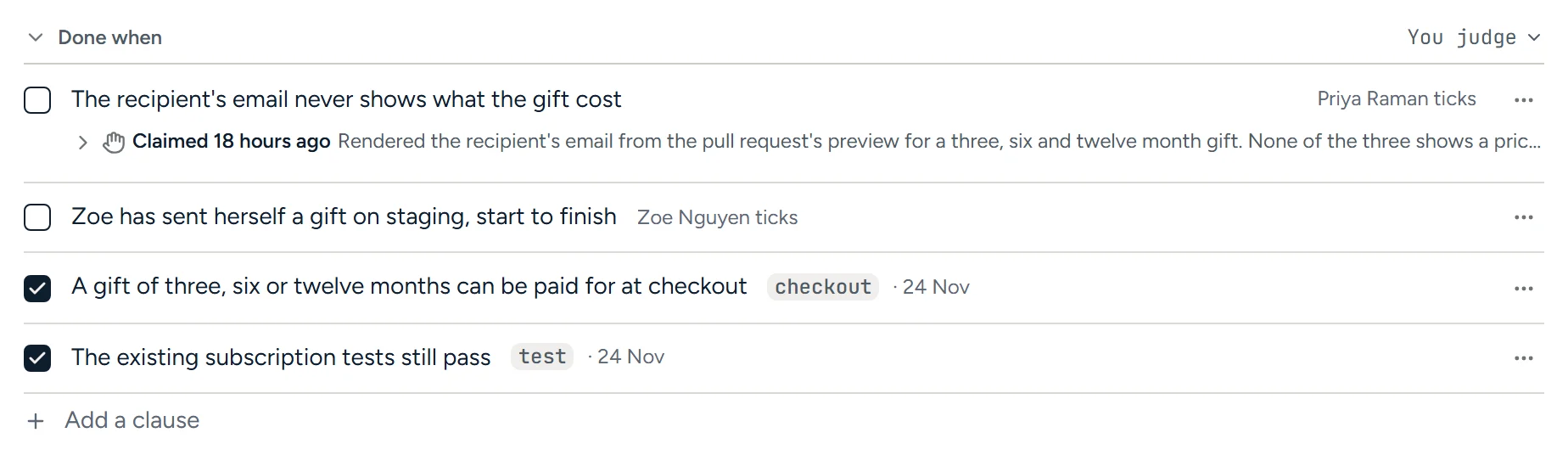
Every job carries its acceptance criteria, and each one names what decides it. Whether the tests still pass is for CI. Whether an email shows a price is for the person who cares about that email. The job is not done until each has an answer.
Connecting a coding agent
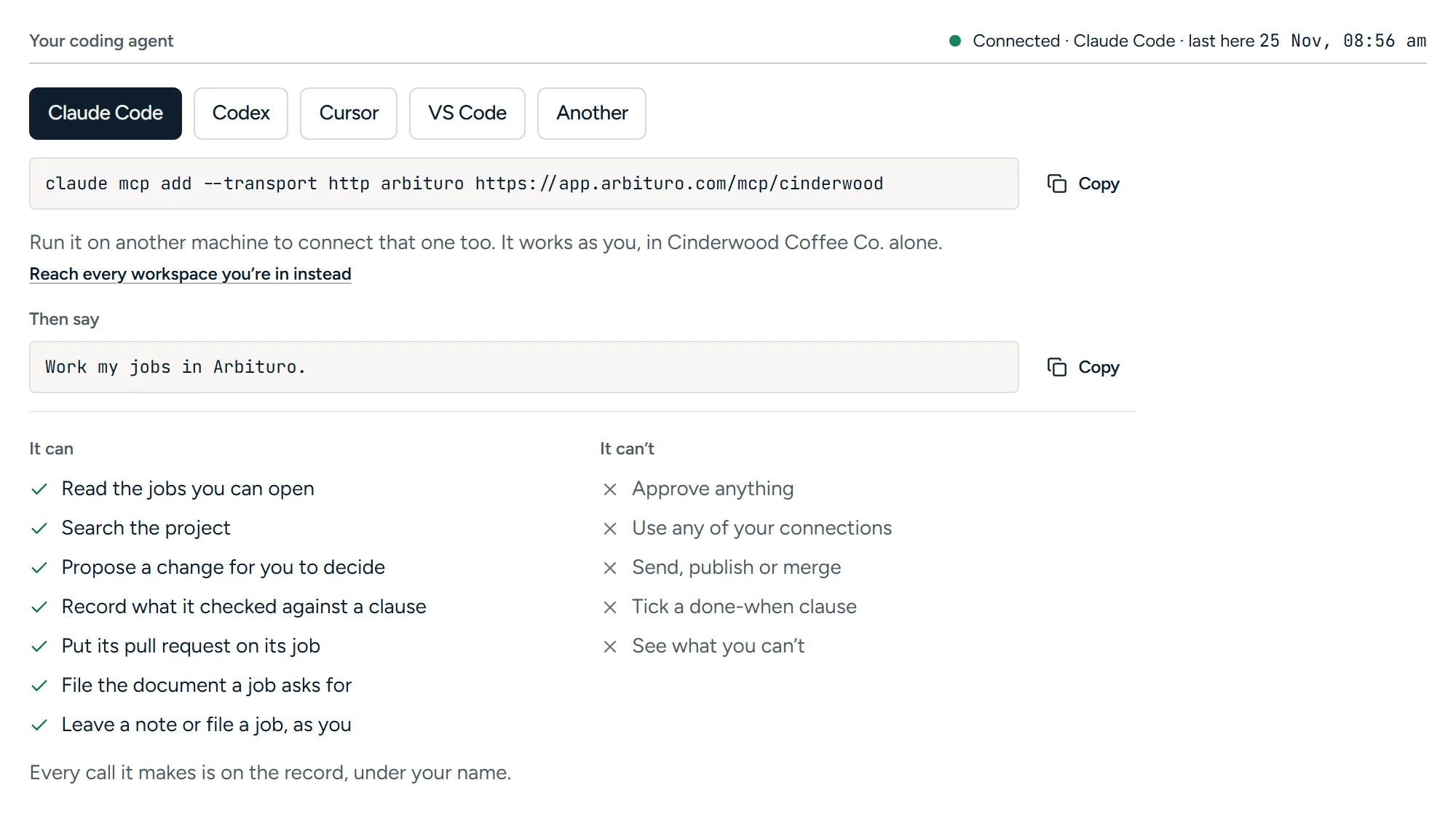
One command connects the coding agent.
Claude Code, Codex, Cursor, VS Code, or any client that speaks MCP. The agent signs in as the developer who connected it and works with that developer’s access and no more. It cannot approve, merge or tick a criterion, and those are limits in the product, not instructions it is asked to follow.
Plan first
See the plan before the work is taken.
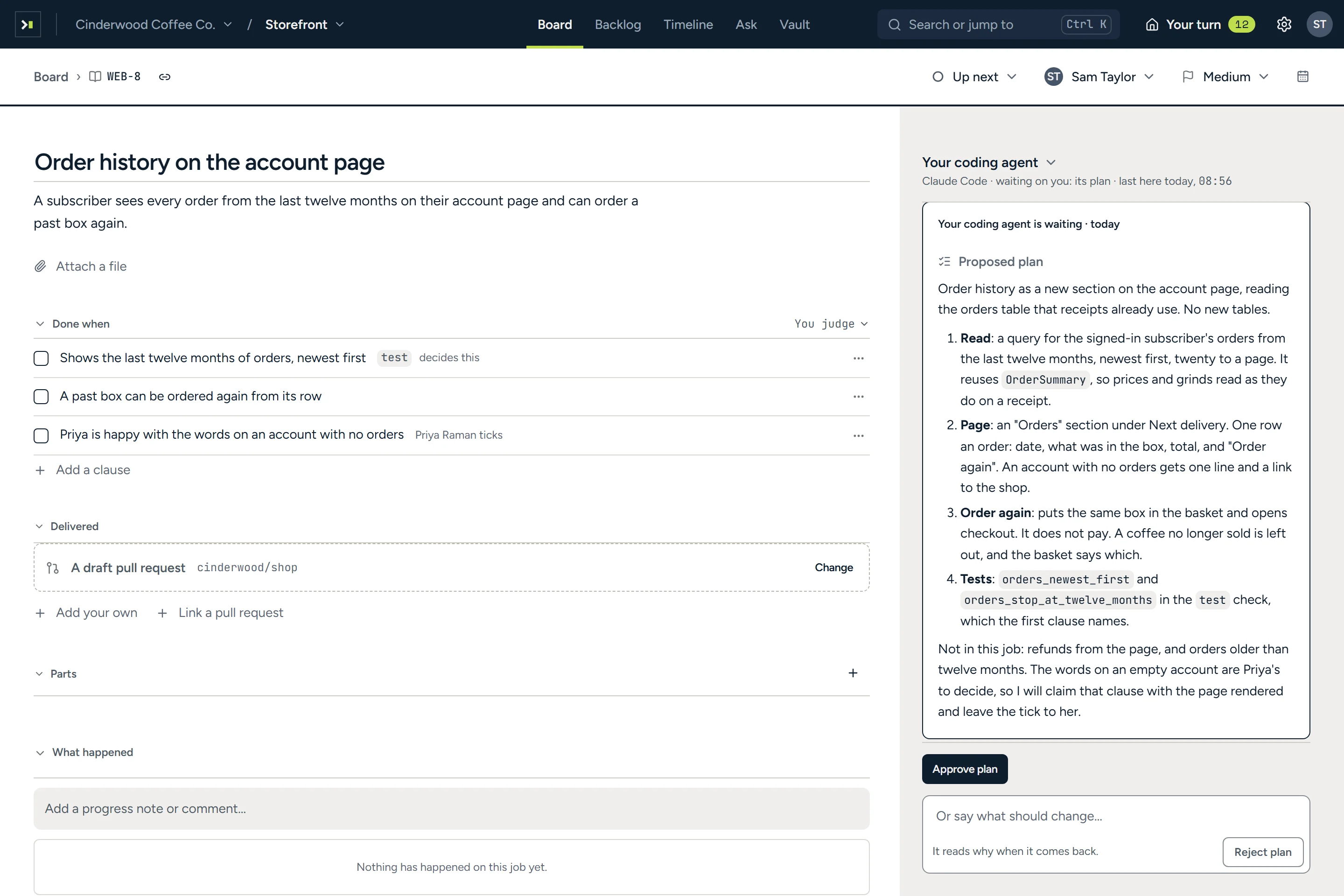
For a job that changes a screen or touches something delicate, ask for a plan. The coding agent proposes how it will do the work, with mockups where a screen changes, and waits. Until its developer approves the plan, the claims and results it sends are refused.
GitHub
The pull request finds its own job.
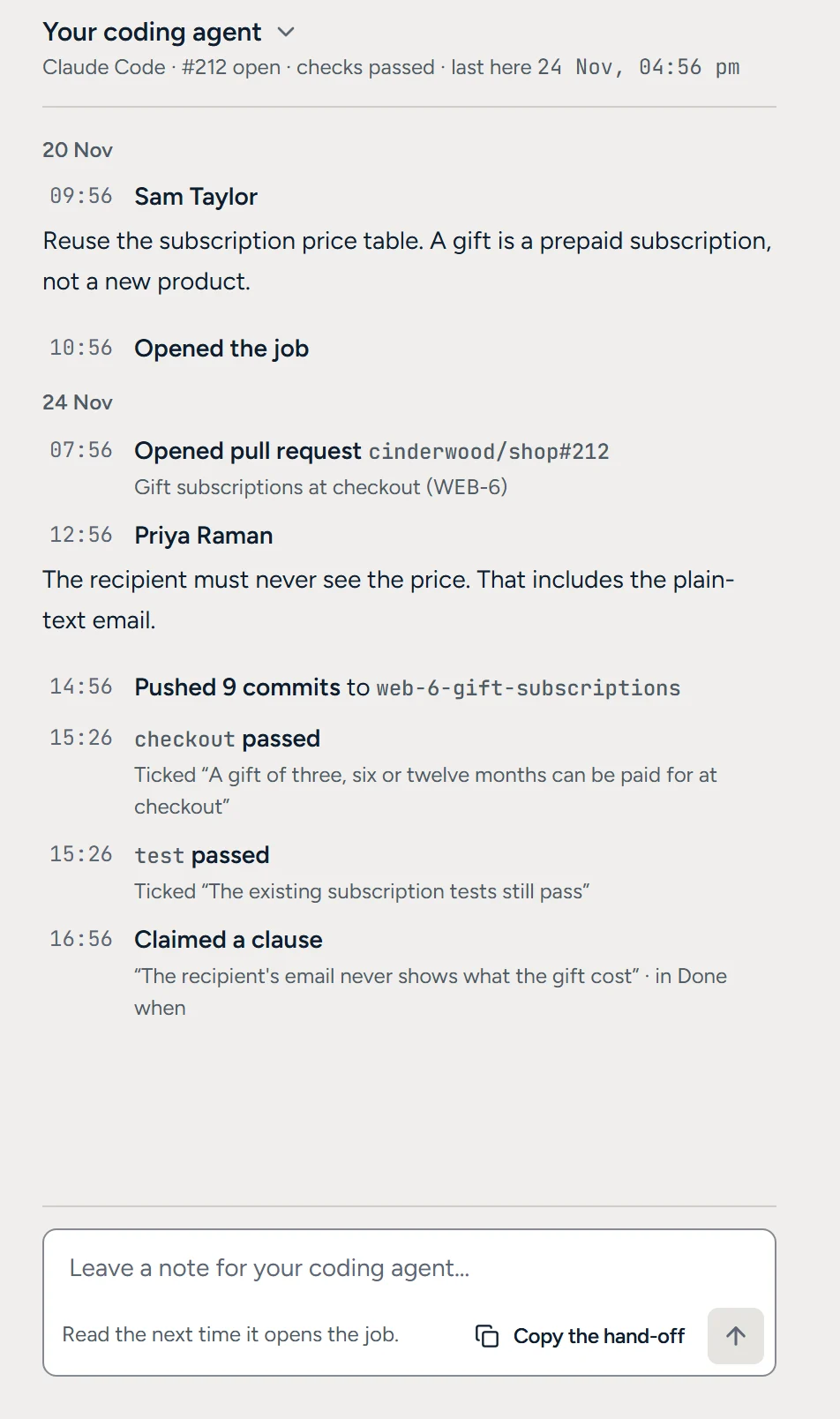
Install the GitHub App and choose which repositories belong to which project. From then on, a branch, a commit or a pull request title that names a job puts the work on that job, with its checks and whether its review approved or asked for changes. Nobody pastes links.


CI checks
Let CI decide what CI can decide.
A criterion can name one of your checks. A pass on the pull request’s latest commit ticks it, and a failure marks it not met. Push again and it goes back to undecided until the check reports on the new commit, so a tick never outlives the code it was true of.


Claims
The agent can claim. A person decides.
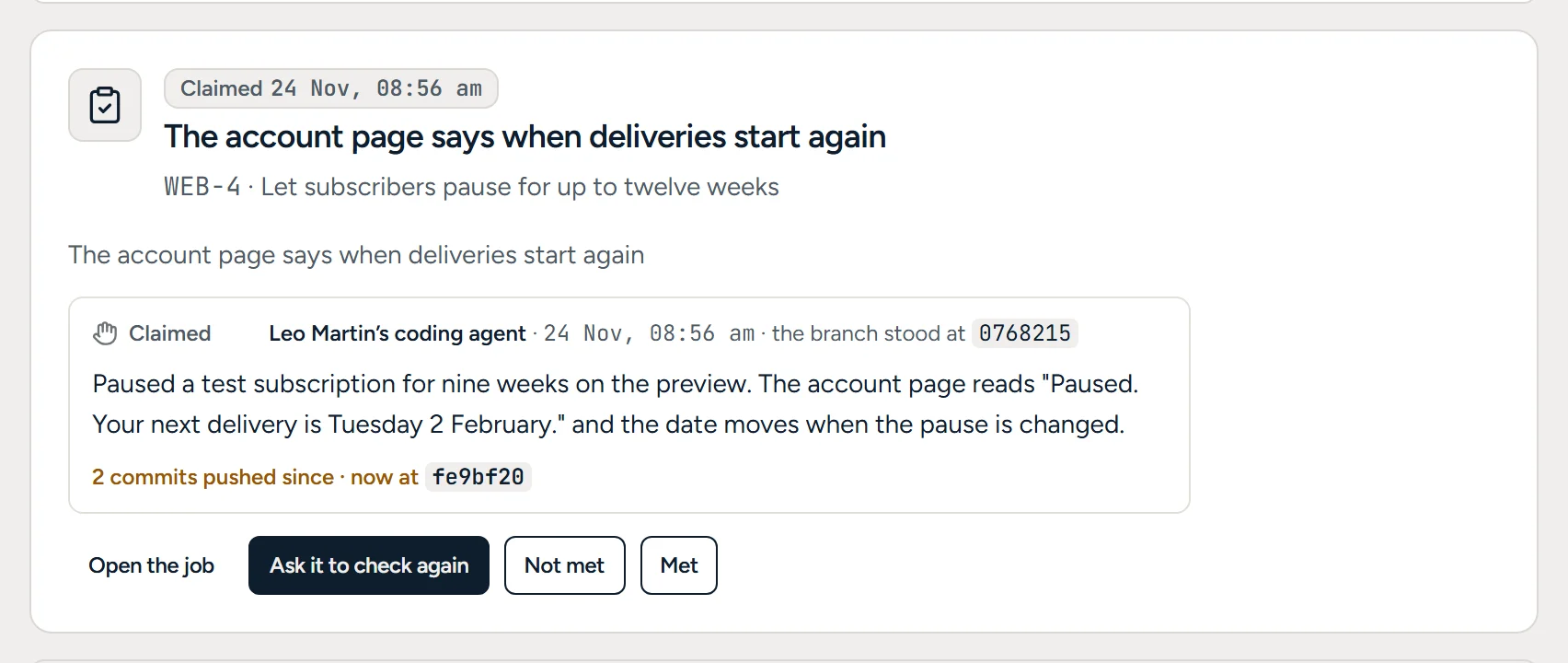
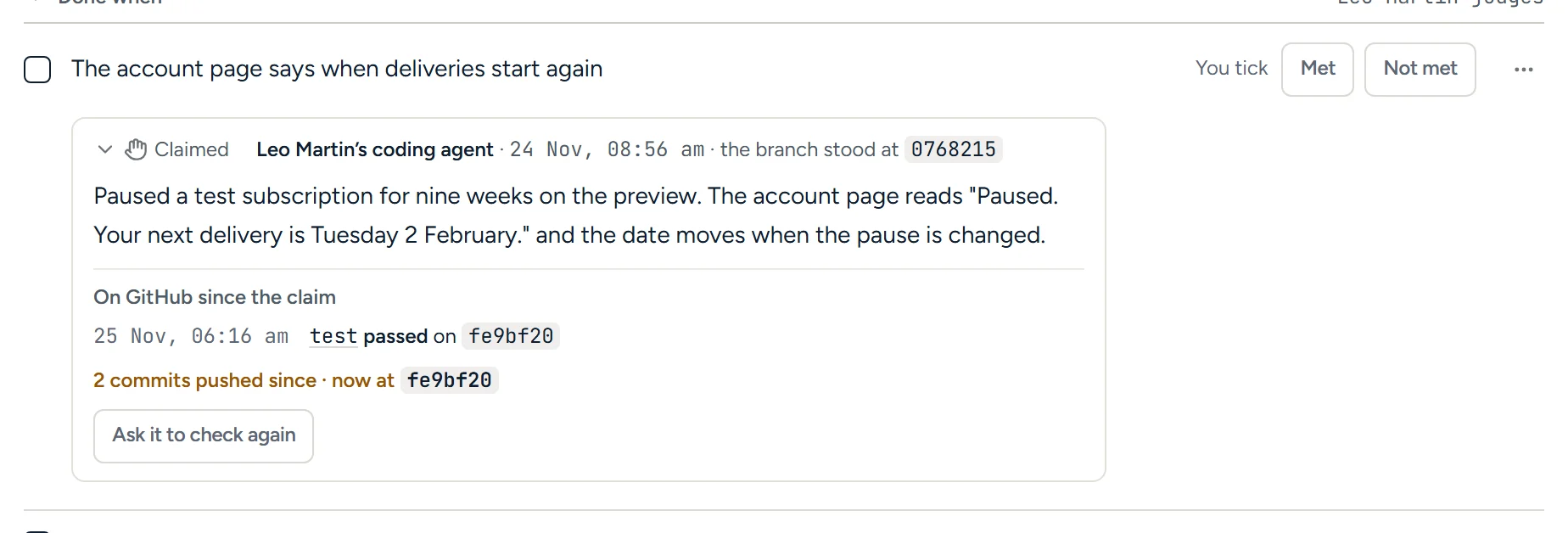
For the criteria a test cannot settle, the coding agent records what it checked, with screenshots if it has them. Arbituro pins the claim to the commit the branch stood at, as GitHub reported it. If commits have landed since, the claim says how many, and the person deciding can send it back to be checked again.
Review queue
Sign-offs come to the person who decides.
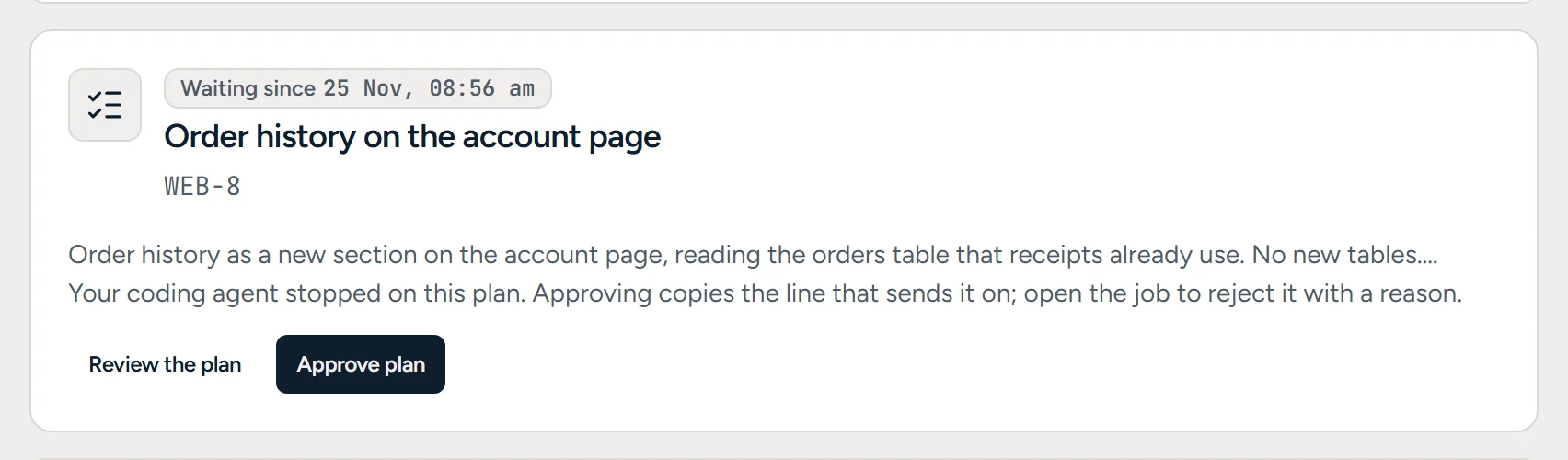
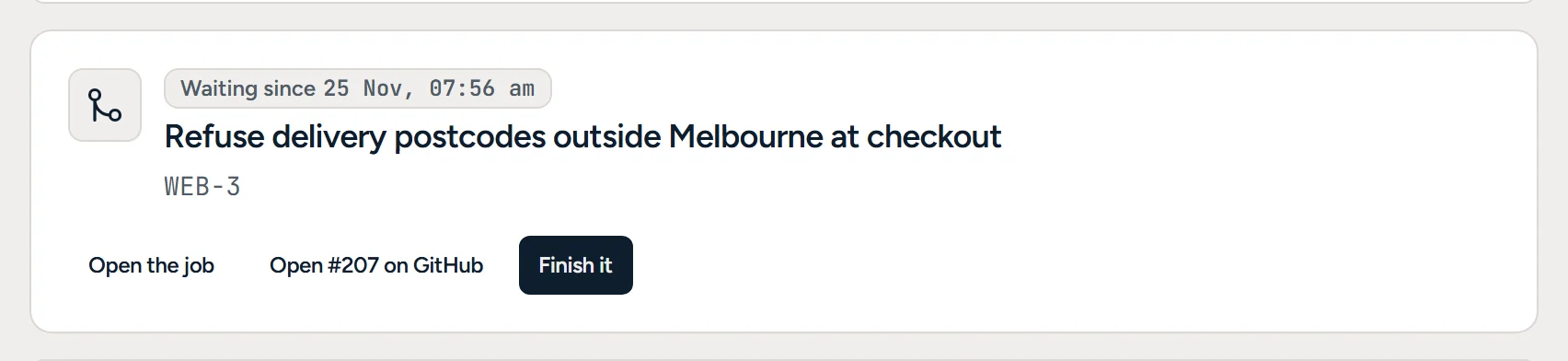
A plan to approve, a claim to accept or turn down, a merged pull request waiting to be finished. Each arrives in one queue for the person it belongs to. Turn a claim down with a line saying what is missing, and the agent reads that line next time it opens the job.
Audit trail
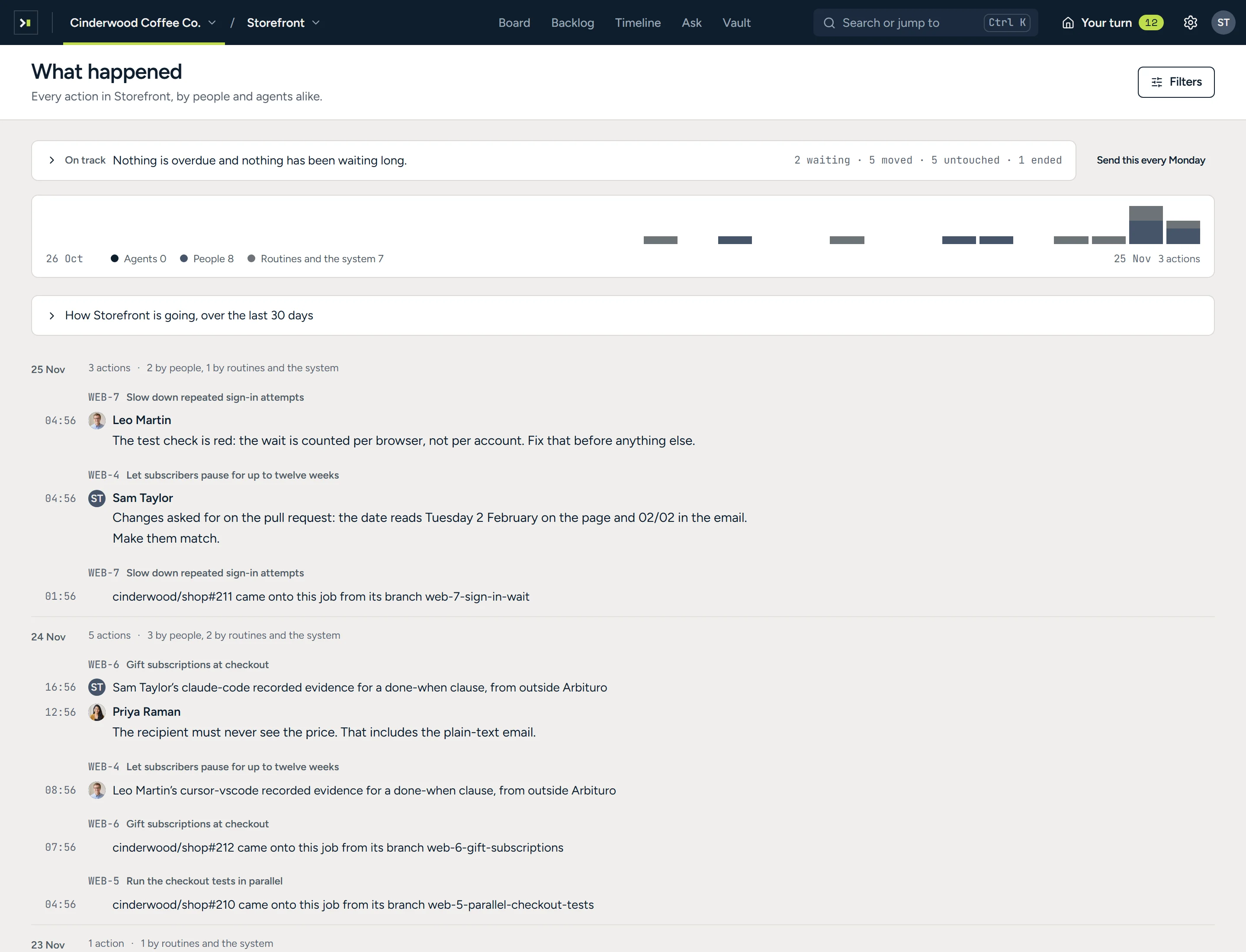
Every call the agent makes is on the record.
Each call a coding agent makes is recorded under the developer it works for, with the name the client gave. What it claimed, what it proposed and which pull requests arrived show on the project’s own timeline, beside what people did.
Board
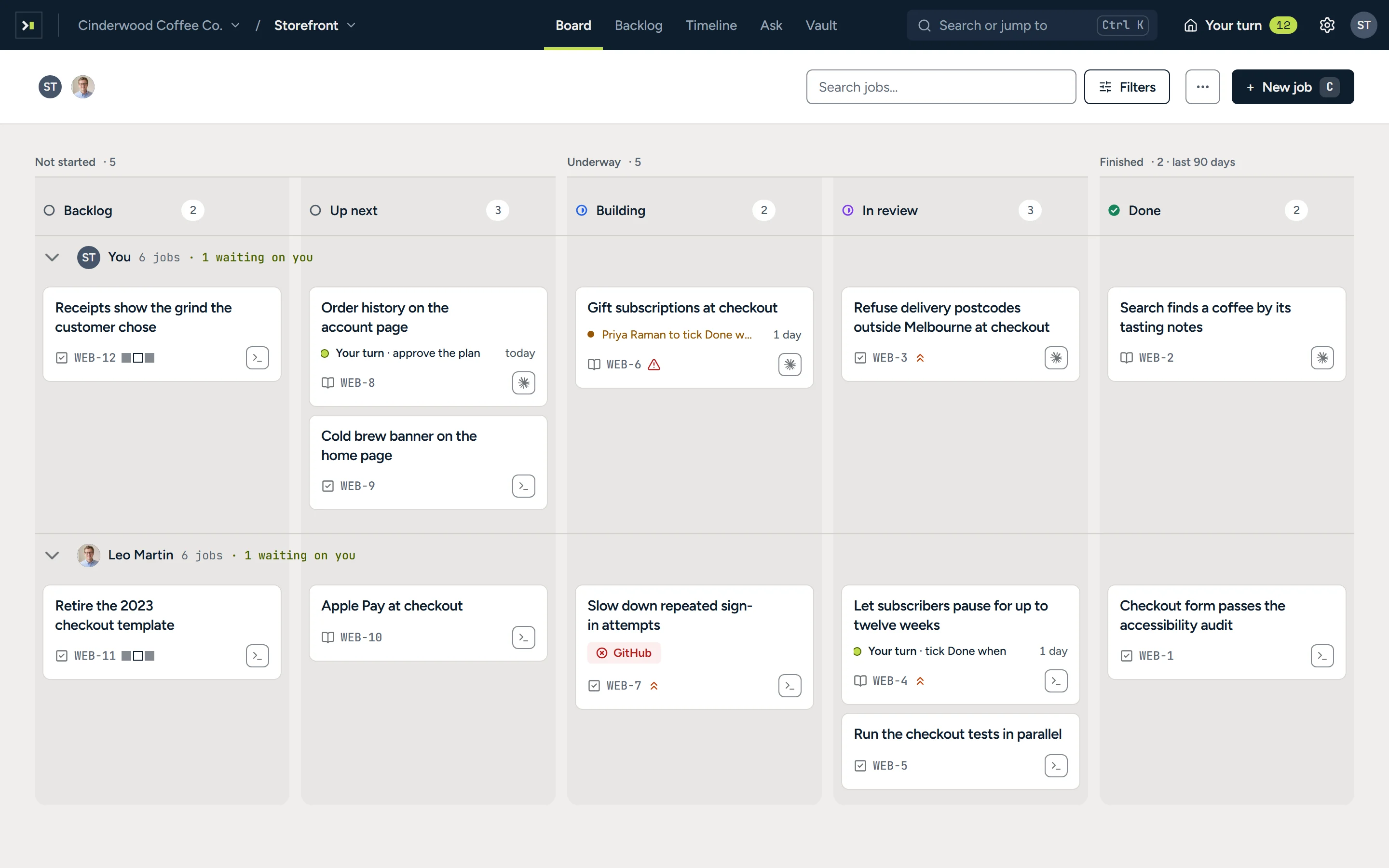
See who is on each job, and who it waits on.
One board for the team, with a row for each developer. A card shows when a coding agent is working it, when a check has failed, and when it is waiting on you.
Questions
Does this replace code review or branch protection?
No. Review and branch protection stay in GitHub. Arbituro shows the review’s outcome on the job and adds what GitHub does not hold: the acceptance criteria, and who decided each one.
Does Arbituro write to our repositories?
Not on behalf of a developer’s coding agent. That agent pushes with the developer’s own Git access, as it does today, and Arbituro reads what GitHub reports. Arbituro’s own built-in agents can open a draft pull request or leave a comment, each only after a person approves it, and they can never merge.
Which coding agents work with it?
Any client that speaks the Model Context Protocol. There is one-step setup for Claude Code, Codex, Cursor and VS Code. Programs can use the API with a key, under the same limits.
Can a developer accept their own agent’s claim?
A criterion is decided by the person it names. Name the product owner, a designer or a second developer and it goes to them. Leave it unnamed and it falls to whoever signs off the job, its owner unless they hand that on. A project can also require a named person’s sign-off, or every criterion decided, before a job moves to done.
What can the agent see?
Only what its developer can open. It has no access of its own.
Does a merged pull request close the job?
No. A merge asks the person who signs off the job to finish it. They can see every criterion and its answer first.
Let the agents write the code. Keep the decision.
Free to start for up to three people. No card needed.
Setting it up is in the docs: connecting a coding agent and connecting GitHub.